

Home / Legacy Dynamics
Your legacy Microsoft Dynamics platform may still support critical business processes but maintaining older versions, customizations and disconnected systems can make it harder to scale, integrate and innovate.
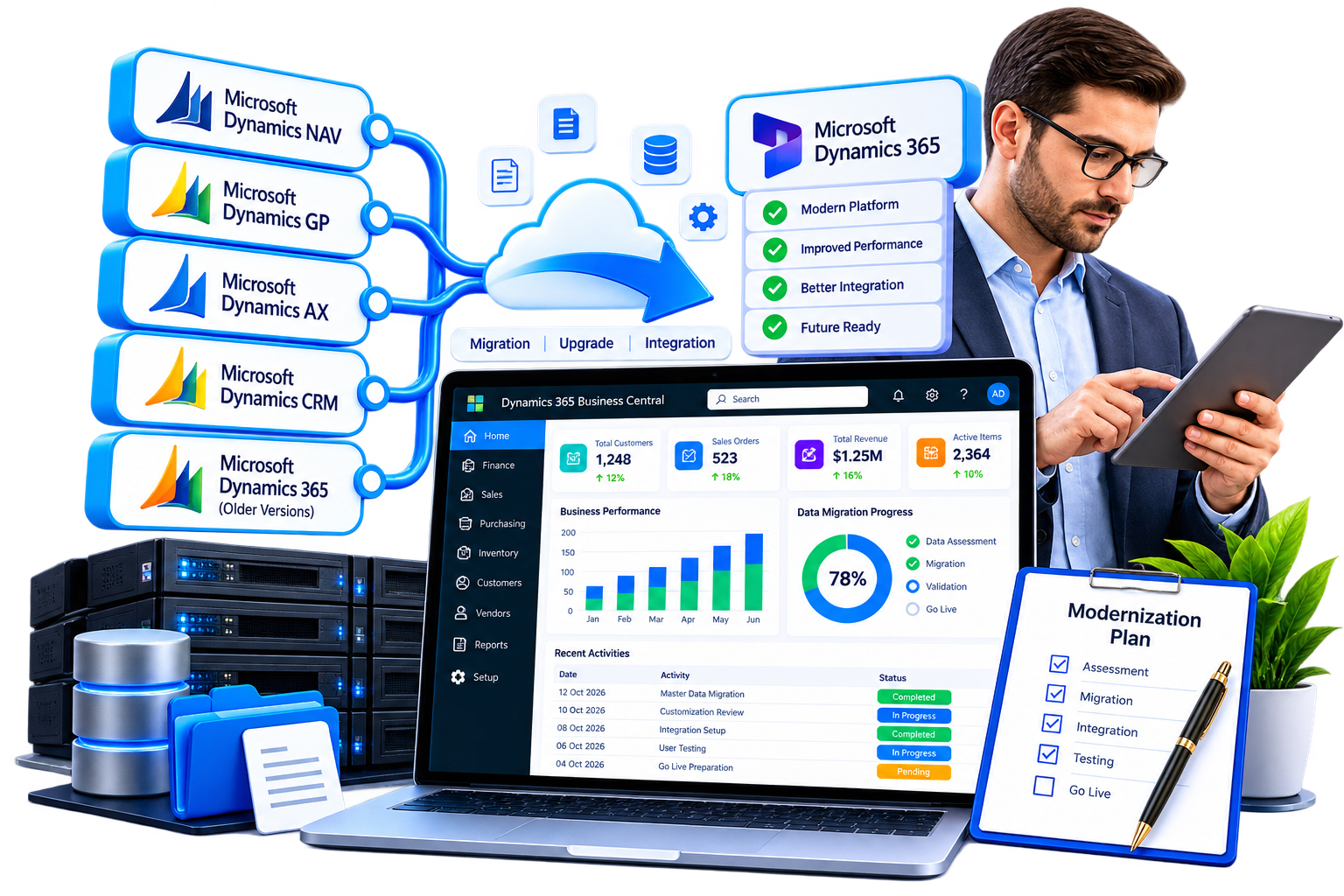
Sarakadiya helps organizations modernize Microsoft Dynamics NAV, Navision, GP, Great Plains, AX, Axapta and legacy Dynamics CRM through structured assessment, migration, upgrade, integration and modernization strategies.
Move from legacy Dynamics to a modern Microsoft business application ecosystem without losing sight of the data, processes and investments that matter to your business.
Depending on your current product, version, customizations, integrations and business requirements, modernization may involve:
The goal is not simply to replace an older system. It is to create a scalable, maintainable and connected Microsoft technology environment that supports your current business.
Modernize legacy Microsoft Dynamics NAV / Navision ERP environments and move toward Dynamics 365 Business Central through a structured assessment, upgrade and migration strategy.
Modernize Microsoft Dynamics GP / Great Plains environments and evaluate migration to Dynamics 365 Business Central, including data migration, validation and business-process alignment.
Modernize Microsoft Dynamics AX / Axapta environments toward the appropriate Dynamics 365 finance and operations applications based on your business requirements.
Modernize legacy Microsoft Dynamics CRM and supported Dynamics 365 on-premises environments toward Dynamics 365 online and Microsoft Dataverse.
Your modernization strategy depends on your current product, version, customizations, integrations, data structure and business processes.

Understand your current version, customizations, integrations, data and technical dependencies before choosing a migration path.

Identify technical constraints, data considerations, customization requirements and potential migration risks.
Plan, transform, migrate and validate the business data required for the new Microsoft Dynamics environment.

Assess legacy customizations and determine what should be retained, redesigned, replaced or retired.

Review integrations with Microsoft 365, Power Platform, third-party applications, e-commerce platforms and other business systems.

Move suitable workloads from on-premises environments toward modern Microsoft cloud solutions.

Identify opportunities to simplify processes instead of reproducing unnecessary legacy complexity.

Validate migrated data, business processes, integrations, security and user workflows before production cutover.

Support users and teams after migration with optimization, issue resolution, enhancements and ongoing Dynamics services.
Legacy Dynamics modernization can extend beyond the ERP or CRM application itself.
Sarakadiya can help organizations connect their modern Dynamics environment with:

This enables organizations to build a more connected Microsoft business application ecosystem rather than simply replacing one legacy application with another.
Yes. Microsoft supports migration from supported Dynamics NAV versions to Business Central, subject to version, customization and technical requirements. NAV environments generally need to follow an appropriate upgrade path before moving to Business Central online.
Yes. Microsoft provides cloud migration capabilities for supported Dynamics GP environments, including migration of specified financial and master data and historical data scenarios.
Not as a standard one-to-one migration path. Dynamics AX is generally modernized toward the appropriate Dynamics 365 finance and operations applications, depending on the organization’s requirements.
Yes, supported Dynamics CRM and Dynamics 365 on-premises environments can have migration paths toward Dynamics 365 online and Microsoft Dataverse, subject to Microsoft’s supported versions and eligibility requirements.
Not necessarily. Data migration should be based on business, compliance, reporting and operational requirements rather than automatically moving every historical record.
Not always. Each customization should be assessed to determine whether it should be retained, redesigned, replaced by standard functionality, implemented as an extension or retired.
Your existing Dynamics system contains years of business knowledge, data and processes. The right modernization strategy can help you preserve that value while moving toward a more connected Microsoft ecosystem.
Let’s assess your legacy Dynamics environment and define the right modernization path.
We’re excited to be part of Directions EMEA 2026 in Paris, connecting with Microsoft Dynamics 365 Business Central partners, technology leaders, and industry experts.