
Home / Construction
Construction margins depend on controlling costs, coordinating resources and keeping project financials accurate. Materials, labor, subcontractor invoices and equipment expenses all need to be tracked against the right jobs to support better decisions.
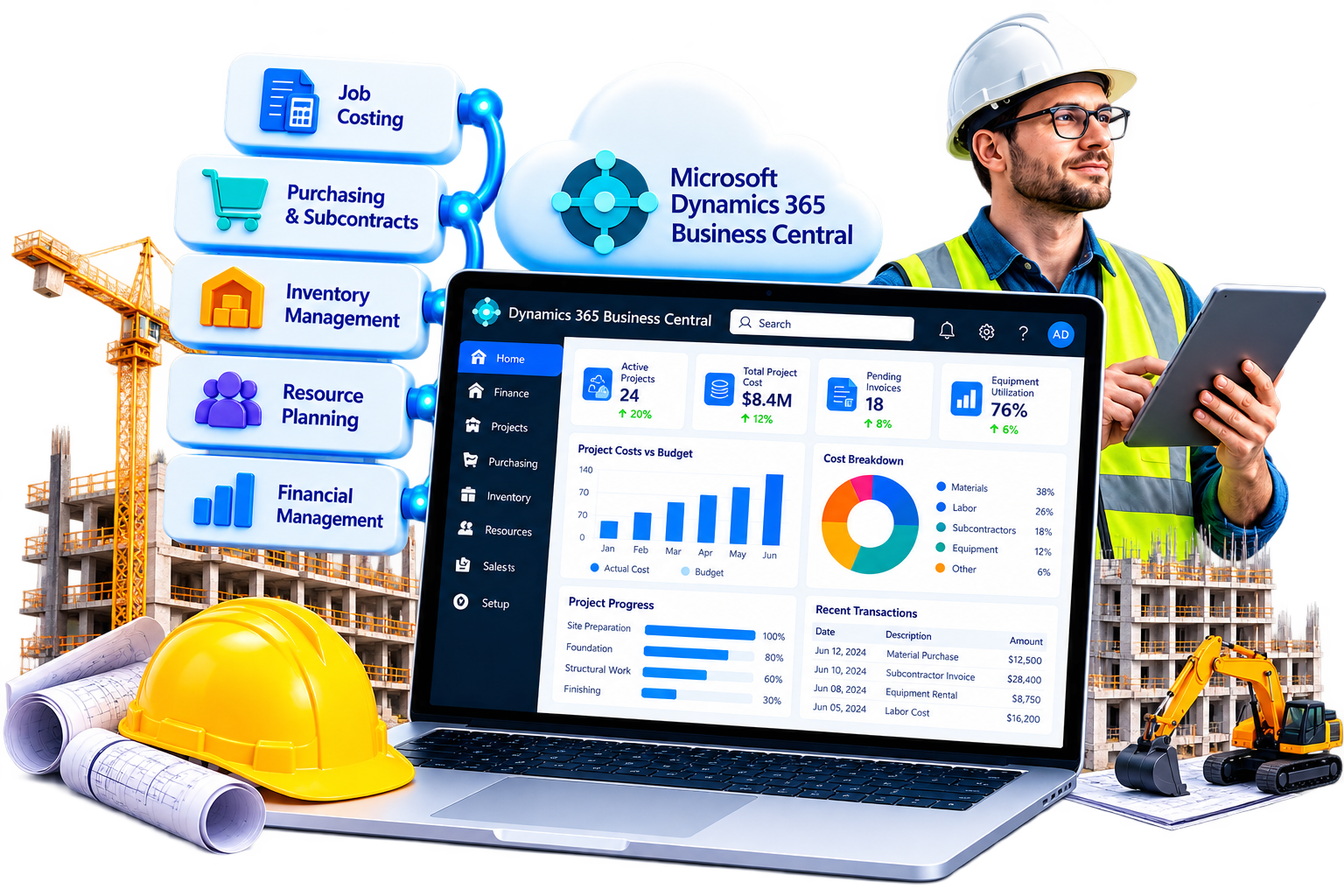
Sarakadiya helps construction companies modernize, optimize and extend Microsoft Dynamics 365 Business Central to connect job costing, purchasing, resources, inventory and financial management.
Whether you are migrating from Dynamics NAV, upgrading Business Central or integrating your ERP with project management and field applications, we help you define a practical modernization roadmap aligned with your construction operations.
Construction companies need visibility into budgets, material costs, resource usage and project profitability across multiple jobs. Microsoft Dynamics 365 Business Central provides project accounting, purchasing, inventory and financial management capabilities that can support these processes.
Sarakadiya helps construction businesses configure and optimize Business Central to improve cost tracking, purchasing control, project reporting and financial visibility.
Set up projects, project tasks and planning lines to define budgets, planned resources, expected costs and billable work. Compare budgeted amounts with recorded usage to monitor project performance.
Connect purchase orders, supplier invoices and material purchases with project-related costs. Business Central supports purchasing supplies for projects, subject to appropriate setup and transaction recording.
Record subcontractor-related purchases and supplier invoices against relevant projects where the processes are configured appropriately. Dedicated subcontractor management, tendering, compliance documents, retention and payment applications may require extensions or specialist construction software.
Use project resource planning and usage tracking to record labor, resource costs and relevant project expenses. Fixed asset functionality supports asset accounting, but detailed equipment dispatch, utilization scheduling, maintenance and job-site allocation may require additional applications.
Track construction materials across configured inventory locations and warehouses, and record project-related consumption where applicable. Materials held directly at job sites may need suitable location setup or integrated site inventory processes.
Use project planning lines and invoicing processes to bill customers for eligible project usage. Billing schedules and contract arrangements should be assessed carefully; advanced progress billing, retention, claims and construction-specific payment applications may require extensions or specialized solutions.
Connect project costs, revenue, purchasing and financial posting to support reporting on job profitability and cash flow. Accurate project-level reporting depends on consistent cost allocation, posting and project setup.
Use Business Central reports and Power BI to review budget versus actual costs, resource usage, project revenue and work in progress. Forecasting final costs, earned-value analysis and detailed schedule-versus-cost reporting may require additional data and tailored reporting.
Your ERP may contain years of job history, cost structures, project records, custom billing logic, integrations and financial workflows. Modernization should begin by understanding which processes work and which create limitations.
Sarakadiya assesses your existing Dynamics NAV or Business Central environment to identify what should be retained, improved, replaced or integrated.
Our approach considers project costing, purchasing, data quality, reporting requirements and operational continuity to help your business move toward a more maintainable ERP environment.

Assess your current NAV version, deployment model, customizations, data and integrations to determine a suitable migration or reimplementation path. Microsoft's supported options depend on your source environment and target platform.

Plan and execute version upgrades with appropriate checks for extensions, customizations, integrations, data and business-process compatibility. The upgrade route depends on your current version and deployment model.

Review legacy customizations and identify opportunities to adopt standard functionality, simplify code or develop maintainable AL extensions. For supported NAV-to-Business Central Online migration paths, legacy C/AL customizations must be converted to AL extensions or appropriately reimplemented.

Review system configuration, project setup, job costing, purchasing, extensions, integrations, performance and technical risks. Identify gaps affecting cost allocation, project reporting and financial processes.

Investigate performance issues affecting project posting, purchasing, inventory transactions, reporting and integrations. Recommendations may include configuration changes, extension reviews or technical remediation.

Assess integration options for project management, estimating, field applications, payroll, document management, scheduling and other construction systems. The integration approach depends on the applications, available interfaces and data requirements.

Identify repetitive activities such as invoice approvals, purchase requests, cost coding and reporting. Evaluate suitable Power Platform workflows and applicable Copilot capabilities based on licensing, availability, data readiness and business requirements.

Older Dynamics NAV environments or outdated Business Central configurations can make enhancements difficult. We assess your existing environment and recommend a practical modernization roadmap.
Custom job-costing rules, billing logic and reporting workflows can become difficult to maintain. We help determine which customizations to retain, simplify, replace or rebuild.
Site teams, project managers, procurement and finance may use separate systems. We assess integration opportunities to improve information flow and reduce duplicate data entry.
Delayed or incomplete cost records make it difficult to identify budget overruns early. We help improve project setup, cost recording and reporting so managers can compare budgeted and actual usage.
Paper-based approvals, manually entered invoices and inconsistent job references can slow financial processing. We identify opportunities to streamline workflows through configuration, integrations and automation.
Construction contracts may involve staged billing, retention, variations, claims and subcontractor payment processes. We assess which requirements Business Central can support through standard project and purchasing processes and which need extensions or dedicated construction applications.
More jobs, business units and operating regions increase reporting and governance demands. We help align Business Central configuration and financial reporting with your organizational structure.
Use project accounting, budgets, purchasing and financial management to monitor project costs and billable work. Detailed subcontractor administration, tender management and contract compliance may require complementary construction software.
Track labor and other resources, materials, project expenses and customer billing through appropriate project and inventory processes. Detailed field time capture, crew scheduling and mobile job reporting may require integrated applications.
Use project tasks, budgets, resource usage and financial reporting to monitor costs across long-running projects. Equipment utilization, complex schedule management, earned-value analysis and specialized contract accounting may require additional capabilities.
Track project-related costs, materials, purchasing and financial transactions across multiple builds. Home-sales management, lot and unit inventory, construction scheduling and customer handover workflows may require specialist solutions.
Configure companies, financial reporting and relevant intercompany processes to support operations across multiple legal entities. Consolidation and reporting depend on the organizational structure and appropriate setup.
Business Central can serve as the financial and project-accounting foundation for construction operations. Microsoft technologies, extensions and connected applications can provide additional capabilities for site operations and construction-specific processes.

Use Power Apps and Power Automate for suitable purchase requests, approvals, internal forms and workflow automation. Site inspections, safety reporting and offline mobile data capture may require tailored applications or specialist construction tools.

Build dashboards to analyze project budgets, actual costs, revenue, resource usage and financial performance. Forecast final costs, schedule progress and detailed work-in-progress metrics depend on available data and report design.

Evaluate applicable Copilot capabilities and other Microsoft AI options to support productivity, information access and selected workflows. Availability and suitability depend on the product, licensing, region, release and data readiness.
Use AL extensions to address requirements beyond standard Business Central functionality, such as specialized cost calculations, additional validations, construction billing rules or integration logic.

Integrate Business Central with suitable estimating, project scheduling, field management, document control, payroll and construction management systems. Integration design should account for data ownership, project and cost-code structures, synchronization and access controls.

Whether you are running Dynamics NAV, an older Business Central version or an ERP environment that needs performance improvements, Sarakadiya begins by assessing your current systems, project processes and business priorities.
We then recommend a practical path based on your ERP version, deployment model, customizations, extensions, integrations, data requirements and project-accounting needs.
For NAV environments, the migration route depends on the source version and Microsoft’s supported options. Legacy C/AL customizations may need conversion to AL extensions, while some functionality may be replaced with standard capabilities or reimplemented.
The goal is to establish a maintainable ERP foundation that supports accurate job costing, purchasing control and timely financial reporting as your construction business grows.
We focus on Business Central migration, upgrades, application modernization, extensions and optimization to help construction companies improve their ERP environment.
We assess Dynamics NAV and existing Business Central environments to identify technical dependencies and recommend an appropriate modernization approach.
We consider how project budgets, material purchases, resource usage, expenses and financial reporting work together when planning ERP improvements.
We help evaluate legacy code, integration requirements, workflow automation, reporting needs and performance issues.
We assess how Power Platform, Power BI, applicable Copilot capabilities and other Microsoft technologies can complement Business Central.
Modernization continues beyond migration or upgrade. We help identify ongoing improvement opportunities through health checks, technical reviews, integration assessments and performance optimization.
Planning a Dynamics NAV migration, a Business Central upgrade or a health check of your existing construction ERP?
Sarakadiya can assess your current environment, identify improvement opportunities and define a practical roadmap toward a more connected and maintainable Business Central system.


Explore how organizations worldwide transformed operations, streamlined finance and accelerated growth with Sarakadiya's Microsoft expertise.
Seamlessly Upgrading an MSP from Business Central 15 On-Premises to Business Central 25 Cloud
Microsoft Dynamics 365 Business Central is an ERP solution that supports project accounting, budgeting, resource usage, purchasing, inventory and financial management for construction businesses. Advanced construction scheduling, estimating, site management and contract administration may require additional applications or extensions.
Yes. Sarakadiya can assess your NAV version, deployment model, customizations, integrations and data to recommend a suitable migration or reimplementation approach. The available route depends on Microsoft’s supported options for your environment.
Yes. We can review your current version, extensions, customizations, integrations and operational requirements to plan an appropriate upgrade and testing process.
A health check can cover system configuration, project and job setup, cost recording, extensions, integrations, performance, data quality and technical risks. The final scope depends on your environment and business priorities.
Yes. Business Central project management supports project budgets and recording resource, item and other project usage. It can help compare budgeted amounts with actual usage and support project cost and work-in-progress reporting, depending on configuration and the selected WIP method.
Business Central supports purchasing, project-related costs and project invoicing. It should not automatically be treated as a complete subcontractor-management or construction contract-administration system. Requirements such as retention, payment applications, complex progress billing, variations and subcontractor compliance may require extensions or specialist applications.
Yes. Business Central can integrate with suitable external systems through APIs, connectors, extensions or custom development. The approach depends on the applications, data flows and operational requirements.
Yes. Business Central project data can support Power BI reporting on budgets, usage costs, project performance and cost variances. Detailed schedule-based reporting and forecasts depend on the availability and quality of project data.
The outcome depends on the customization and migration path. For supported migrations to Business Central Online, legacy C/AL customizations must be converted to AL extensions or appropriately reimplemented. Some functionality may be replaced by standard Business Central capabilities or suitable extensions.
We’re excited to be part of Directions EMEA 2026 in Paris, connecting with Microsoft Dynamics 365 Business Central partners, technology leaders, and industry experts.