
Home / Distribution
Distribution depends on having the right stock in the right place, fulfilling orders on time and maintaining control over costs. As product ranges, warehouses and sales channels expand, disconnected systems and manual processes can make it harder to keep operations running efficiently.
Sarakadiya helps distributors modernize, optimize and extend Microsoft Dynamics 365 Business Central, connecting inventory, purchasing, warehouse operations, sales and finance through a unified ERP foundation.
Whether you are migrating from Dynamics NAV, upgrading Business Central, modernizing legacy customizations or integrating your ERP with shipping, EDI and eCommerce platforms, we help you define a practical path toward a more connected distribution operation.
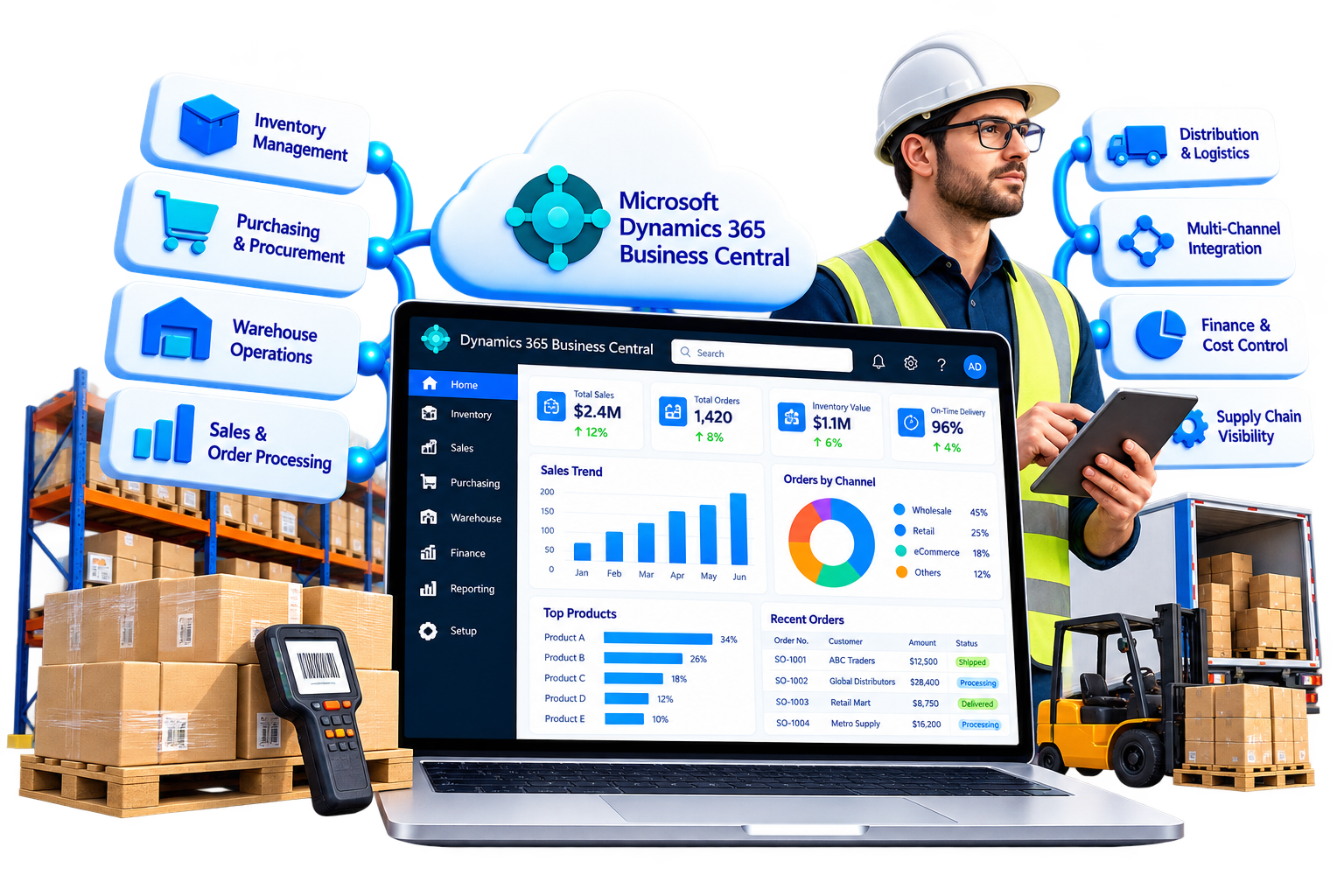
Distributors need reliable information across inventory, orders, purchasing, warehousing and finance. Microsoft Dynamics 365 Business Central brings these core business processes together, helping teams manage transactions, track inventory and make decisions using connected operational and financial data.
Sarakadiya helps you configure and extend Business Central around your distribution model, warehouse processes and business priorities.
Configure planning parameters, reorder points and supply planning processes to help align purchasing decisions with inventory requirements, demand and supplier lead times.
Manage purchase orders, supplier transactions, receipts and related financial entries within a connected purchasing and inventory process.
Track items across configured locations and bins, review inventory availability, process transfers and maintain visibility into stock movements.
Configure appropriate receiving, put-away, picking, movement and shipping workflows based on your warehouse structure and operational requirements.
Connect sales orders with inventory availability, shipment processing and invoicing to support a more consistent order-to-cash workflow.
Bring general ledger, accounts receivable, accounts payable, inventory costs and sales transactions into a connected financial environment.
Use Business Central reporting and Microsoft Power BI to analyze sales, inventory, purchasing, profitability and other business-specific KPIs.
Identify opportunities to improve processes through configuration, AL extensions, integrations, workflow automation and analytics.
Your ERP holds years of business data, established processes, integrations and custom functionality. Modernization should begin by understanding which parts of your existing environment still support the business and which create unnecessary complexity.
Sarakadiya helps distributors assess their current Microsoft ERP landscape, prioritize improvements and choose an appropriate modernization strategy. Depending on your requirements, this may involve upgrading Business Central, migrating from Dynamics NAV, restructuring customizations, improving performance or integrating disconnected applications.
The objective is to build a maintainable ERP environment that supports your current operations and can adapt as your distribution business grows.

Assess your existing Dynamics NAV environment and plan a migration or reimplementation based on your source version, deployment model, customizations, integrations and data requirements. The available migration route depends on Microsoft's supported upgrade paths and your target environment.

Plan and execute upgrades for your existing Business Central environment, reviewing application compatibility, extensions, customizations, integrations and data before moving to the target version.
Review legacy customizations and determine which should be retained, redesigned, replaced or retired. Where required, modernize custom functionality using maintainable AL extensions and supported integration approaches.

Review your ERP configuration, extensions, integrations, security and permissions, performance and technical risks. Receive prioritized recommendations based on business impact and modernization requirements.

Investigate performance issues affecting order processing, posting, inventory operations, reporting and integrations. Identify configuration, extension, data or integration bottlenecks and recommend appropriate improvements.

Connect Business Central with relevant shipping carriers, EDI providers, eCommerce platforms, CRM applications, payment services and other business systems. The integration approach depends on the capabilities and requirements of each application.

Identify repetitive tasks and process bottlenecks that may benefit from automation. Assess where Power Automate, Power Apps, Copilot capabilities or other suitable tools can support your workflows, subject to licensing, availability and solution requirements.

Older Dynamics NAV environments can make upgrades, integrations and ongoing support more difficult. We assess your current environment and help define a practical route toward a modern, supportable ERP platform.
Years of modifications can increase maintenance effort and make upgrades more complicated. We help evaluate existing customizations and determine what to retain, modernize, replace or retire.
Separate systems for sales, purchasing, inventory and finance can create duplicate data and inconsistent processes. We help connect these functions through Business Central and appropriate integrations.
Managing stock across warehouses and locations becomes more complex as the business grows. We help configure inventory processes and reporting to improve visibility into recorded quantities, availability and stock movements.
Manual order entry, approval follow-ups and reconciliation can consume valuable staff time. We identify automation opportunities and assess suitable workflow or integration options.
More SKUs, suppliers, warehouses, customers and sales channels place additional demands on ERP processes. We help align Business Central configuration and connected applications with your changing requirements.
Configure locations, inventory transfers and appropriate warehouse processes to manage stock across multiple distribution centers. Bin-directed operations depend on the warehouse setup and selected workflow.
Manage trade customer records, sales orders, purchasing, inventory and invoicing through connected ERP processes. Customer-specific pricing and discounts can be configured to support applicable commercial arrangements.
Connect online sales channels with Business Central to coordinate relevant order, inventory and financial data. The specific capabilities depend on the eCommerce platform, connector and integration design.
Manage purchasing, sales and financial transactions involving different currencies where configured. Additional requirements such as customs documentation, trade compliance, freight management and landed-cost allocation should be assessed against your processes and supporting applications.
Support assembly and kitting processes alongside purchasing, inventory and sales. More advanced light manufacturing, product configuration or specialized production requirements may need additional configuration, extensions or manufacturing functionality.
Review warehouse workflows, order processing, integrations and reporting to identify opportunities to support higher transaction volumes. Advanced warehouse automation or specialized fulfillment capabilities may require additional applications and infrastructure.

Use Power Apps and Power Automate where appropriate to support custom business applications, approvals and workflow automation. The required integration, licensing and governance should be evaluated for each use case.

Build dashboards and reports using Business Central data to analyze inventory, sales, purchasing, profitability and operational trends. KPI definitions and reporting models should reflect your business processes and data quality.

Evaluate available Copilot and AI capabilities for relevant productivity and business scenarios. Suitability depends on the specific feature, supported data, licensing, configuration and availability.

Use AL extensions to add or modify functionality beyond the standard application while maintaining a structured approach to upgrades and ongoing support.
Integrate Business Central with suitable shipping, EDI, eCommerce, CRM, payment and warehouse applications. Select connectors or custom integrations based on data flows, transaction volumes, error handling and operational requirements.

Every distribution environment has different requirements. Some businesses need to migrate from Dynamics NAV; others need to upgrade Business Central, resolve performance issues or connect applications that have grown independently.

Sarakadiya starts by assessing your current ERP, business processes, customizations, integrations and data. We then recommend a roadmap based on your priorities, technical constraints and operational needs.
For Dynamics NAV migrations, the approach depends on the source version, deployment model, customization strategy and target environment. A full migration to Business Central Online may require converting legacy C/AL customizations to AL extensions, while reimplementation may be appropriate in other scenarios.
The goal is a practical modernization roadmap that protects business continuity while preparing your ERP environment for future requirements.

Support for Business Central migration, upgrades, optimization, extensions and connected business applications.
A structured approach to assessing existing Dynamics NAV and Business Central environments, identifying technical risks and planning improvements.
ERP configuration and integration aligned with inventory, purchasing, warehouse operations, sales and finance requirements.

Practical solutions for connecting business applications, reducing manual processes and improving information flow across your operation.
Access to relevant Microsoft technologies, including Power Platform and Power BI, alongside applicable Business Central and Copilot capabilities.
Continued assessment and improvement to help your ERP environment remain aligned with evolving business requirements.

Whether you are planning a Dynamics NAV migration, a Business Central upgrade, an ERP health check or new distribution integrations, Sarakadiya can help assess your current environment and define a practical next step.


Explore how organizations worldwide transformed operations, streamlined finance and accelerated growth with Sarakadiya's Microsoft expertise.
Seamlessly Upgrading an MSP from Business Central 15 On-Premises to Business Central 25 Cloud
Microsoft Dynamics 365 Business Central is an ERP solution that connects financial management, purchasing, sales and inventory, with configurable warehouse capabilities. It helps distributors manage core transactions and business data in one application. Additional distribution-specific functionality may require extensions or integrations.
Yes. We assess your Dynamics NAV version, deployment model, customizations, integrations and data requirements before recommending a migration or reimplementation strategy. Available routes depend on Microsoft’s supported upgrade paths and the target environment.
Yes. We can assess your current version, extensions, customizations, integrations and operational requirements, then help plan an upgrade and validate compatibility before deployment.
A health check can review application configuration, extensions, customizations, integrations, performance, security and permissions, data considerations and technical risks. The resulting recommendations can be prioritized according to business impact and implementation effort.
Yes. Business Central can exchange data with other applications through supported connectors, APIs, extensions and custom integrations. The required approach depends on the systems involved, transaction volumes and the business processes being connected.
Yes. Business Central data can be used in Power BI reports and dashboards to analyze areas such as sales, inventory, purchasing and finance. Report accuracy and usefulness depend on the data sources, refresh arrangements, KPI definitions and report design.
Business Central supports inventory across locations and can be configured for warehouse processes using bins, picks, put-aways, movements and shipments. The available workflow depends on location setup and warehouse requirements. Businesses needing advanced warehouse automation may require additional solutions.

The treatment depends on the customization and migration route. For a full migration to Business Central Online, legacy C/AL customizations must be converted to AL extensions for the applicable migration path. Some functionality may instead be replaced with standard features, extensions or integrations. A reimplementation approach may be suitable when only selected business data and functionality need to move.
Business Central supports item charges that can be assigned to relevant item transactions to account for additional costs. The appropriate setup depends on how your business records freight, insurance, duties and other costs. Customs compliance and specialized international trade requirements may need additional applications or processes.
We’re excited to be part of Directions EMEA 2026 in Paris, connecting with Microsoft Dynamics 365 Business Central partners, technology leaders, and industry experts.