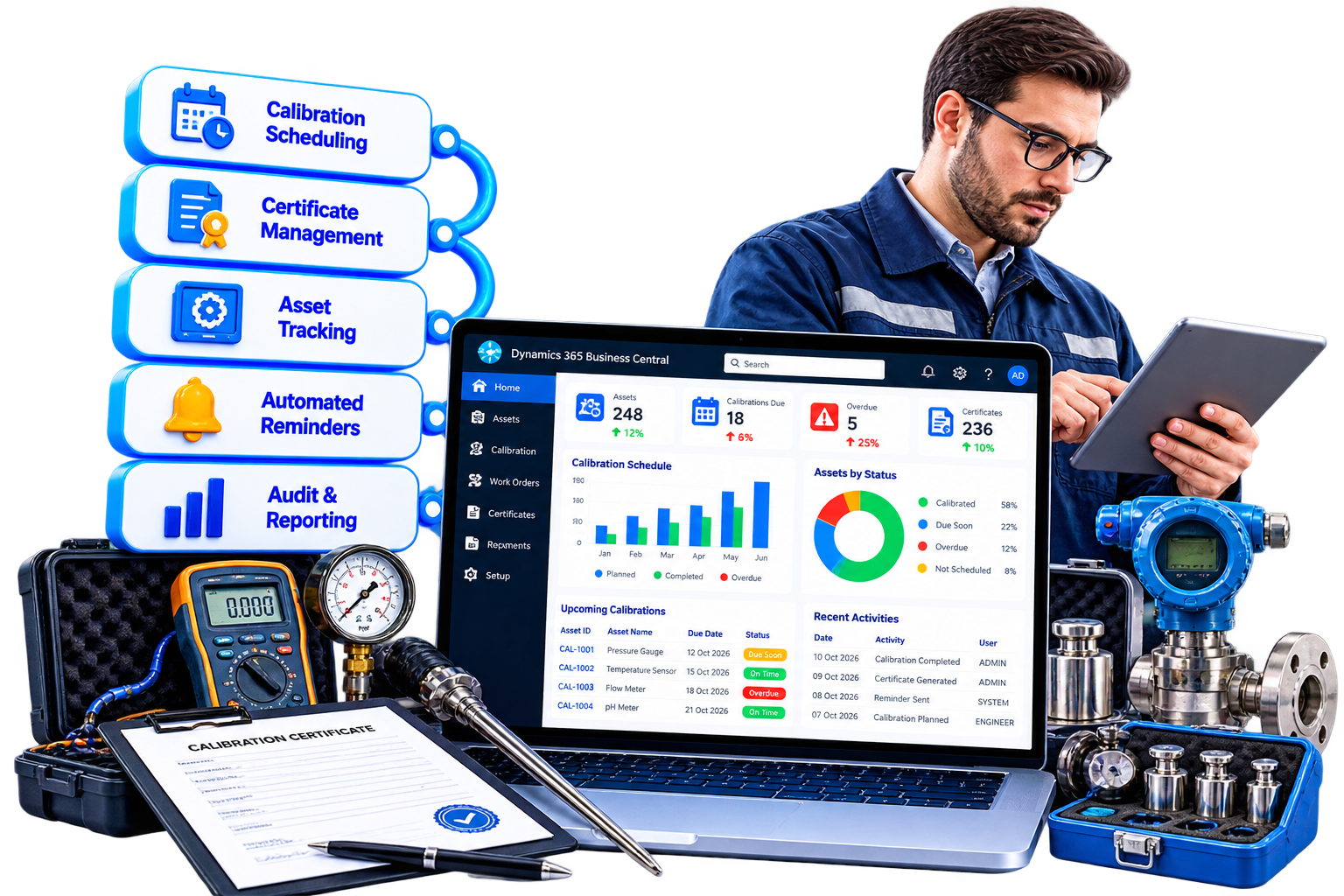

















Home / Calibration Management for Business Central
Calibration Management for Business Central is a native extension for Microsoft Dynamics 365 Business Central that helps organizations centralize asset calibration, manage calibration schedules, maintain calibration history, and keep supporting documentation organized.
From defining calibration frequency and tracking calibration results to managing certificates and automated reminders, the solution provides a structured way to manage the calibration lifecycle directly within Business Central.
Centralize calibration. Prevent missed due dates. Maintain complete traceability.
Calibration Management for Business Central is a calibration management solution designed to help organizations track and control the calibration of assets within Microsoft Dynamics 365 Business Central.
The solution allows businesses to enable calibration for individual assets, define calibration frequencies, automatically calculate the next calibration due date, maintain calibration history, record calibration results, manage certificates, and automate reminders.
By keeping calibration information within Business Central, organizations can replace spreadsheet-based tracking with a structured and traceable calibration management process.
Organizations that rely on manual spreadsheets, calendars, or individual follow-ups to manage asset calibration can face challenges such as:
When calibration records are disconnected from asset information, maintaining operational control and traceability becomes more difficult.
Calibration Management for Business Central provides a structured workflow for managing calibration activities directly from your asset records.
This gives teams a centralized way to manage calibration schedules, records, certificates, and historical information.
Enable calibration requirements for individual assets and define whether calibration tracking applies to each asset.
Define calibration frequency in days or months based on your operational requirements.
Automatically calculate the next calibration due date based on the configured calibration frequency.
Maintain a linked history of calibration activities for each asset, providing a traceable record of previous calibrations.
Create calibration logs directly from the Asset Card and maintain detailed records for each calibration activity.
Record the technician responsible for performing the calibration.
Record the outcome of each calibration using defined results such as:
Record relevant environmental conditions associated with the calibration activity.
Maintain work instructions and acceptance criteria alongside calibration records to support consistent calibration procedures.
Maintain timestamps and user information associated with calibration activities for improved traceability.
Use the Business Central Job Queue to automate calibration notifications, including:
Upload PDF calibration certificates and associate them with the relevant asset or calibration log.
Maintain calibration certificates and supporting documentation with the associated calibration records for easier historical reference and audit preparation.
Generate formatted calibration certificates directly from the system.
Use summary reporting to gain visibility into calibration activity and compliance status.

Automated reminders help teams stay aware of upcoming and overdue calibration activities.

Replace spreadsheet-based calibration tracking and manual follow-ups with a structured Business Central workflow.

Maintain calibration results, technicians, timestamps, users, certificates, and historical records against the relevant asset.

Keep calibration records and supporting certificates organized in one connected environment.

Use defined calibration frequencies, acceptance criteria, results, and approval-related information to create a more consistent calibration process.

Use summary reports to understand calibration activity and compliance status across assets.

Keep PDF calibration certificates and historical calibration records linked to the relevant asset or calibration log.

Maintain structured calibration records and reminders to help organizations manage their internal calibration and compliance requirements.

Receive an upcoming calibration reminder.
Receive a notification when calibration reaches its due date.
Receive recurring alerts for overdue calibration activities.
Receive a summary of calibration compliance activity.
Sarakadiya helps organizations extend and optimize Microsoft Dynamics 365 Business Central through purpose-built applications, integrations, and business solutions.
Our approach focuses on connecting technology with practical operational processes, reducing manual work, and helping organizations improve visibility and control.
With Calibration Management for Business Central, organizations can manage asset calibration schedules, records, certificates, reminders, and reporting within a connected Business Central environment.
Calibration Management for Business Central is a native Business Central extension that helps organizations manage asset calibration schedules, calibration records, results, certificates, reminders, and historical calibration information.
Yes. Calibration can be enabled at the asset level, allowing each relevant asset to have its own calibration tracking.
Yes. Calibration frequency can be defined in days or months according to your organization’s requirements.
Yes. The next due date can be automatically calculated based on the configured calibration frequency.
Yes. Calibration activities can be maintained as linked historical records against the relevant asset.
Calibration logs can capture information such as the technician, result, environmental conditions, work instructions, acceptance criteria, timestamp, and user information.
The solution supports calibration results including Pass, Fail, and Requires Attention.
Yes. PDF calibration certificates can be uploaded and stored against an asset or calibration log.
Yes. Formatted calibration certificates can be generated directly from the system.
Yes. Calibration reminders can be automated using the Business Central Job Queue, including upcoming, due-date, overdue, and monthly summary notifications.
Yes. Recurring overdue alerts can be configured to help teams identify calibration activities that have passed their due date.
The solution helps maintain structured calibration history, results, documentation, certificates, timestamps, and user information, making calibration records easier to retrieve for audit and compliance activities.
Yes. The solution is designed as a native extension for Microsoft Dynamics 365 Business Central.
It is particularly useful for organizations that manage calibrated assets and require structured calibration tracking, documentation, and traceability, including manufacturing, engineering, laboratory, healthcare, pharmaceutical, food and beverage, and other quality-controlled environments.
Manage calibration schedules, results, certificates, reminders, and historical records directly within Microsoft Dynamics 365 Business Central.
Reduce manual tracking, prevent missed calibration deadlines, improve traceability, and maintain a structured calibration process across your assets.
Centralize calibration. Automate reminders. Strengthen compliance control.
We’re excited to be part of Directions EMEA 2026 in Paris, connecting with Microsoft Dynamics 365 Business Central partners, technology leaders, and industry experts.