

Home / Power Platform / Power BI
Transform financial, operational, sales, customer, and ERP data into actionable insights with Microsoft Power BI.
At Sarakadiya, we help organizations design, implement, integrate, optimize, and govern Power BI solutions that create trusted analytics across Microsoft Dynamics 365, Business Central, Microsoft Fabric, and enterprise data sources.
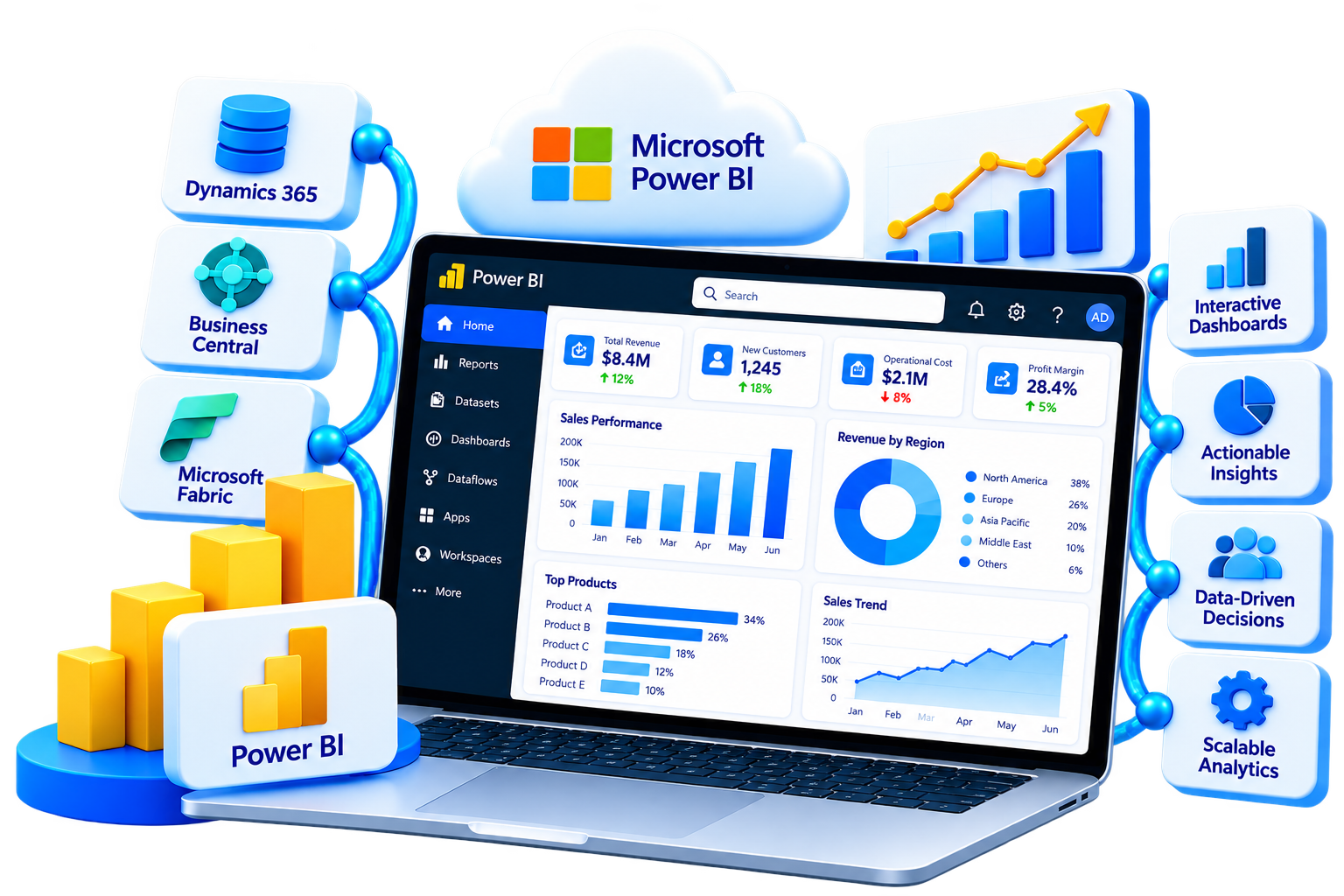

Organizations often have plenty of data but limited visibility into what that data means for the business.
Financial information may sit in ERP systems, sales data in CRM platforms, operational information across business applications, and critical reporting in spreadsheets. As reporting environments grow, teams can end up working with duplicated reports, inconsistent KPIs, manual processes, and disconnected insights.
Sarakadiya helps organizations bring these data sources together through Power BI consulting and implementation services, creating a governed analytics environment that supports better business decisions.
Every organization has different data sources, reporting requirements, KPIs, and decision-making processes.
Sarakadiya helps businesses design Power BI solutions around these requirements, connecting data, creating meaningful analytical models, and delivering reporting that supports the people making business decisions.
Whether you’re implementing Power BI for the first time, modernizing an existing reporting environment, connecting Dynamics 365 or Business Central, or expanding toward Microsoft Fabric, our experts help build an analytics foundation designed around your business.
Establish the right reporting strategy, data architecture, semantic models, governance, and implementation roadmap from the beginning.
Optimize reports, semantic models, DAX, performance, security, governance, and workspace architecture.
Connect ERP and CRM data with Power BI to create financial, sales, operational, inventory, and management analytics.
Replace fragmented spreadsheets, legacy BI systems, and disconnected reporting with a scalable Microsoft analytics environment.
Modern organizations need more than static reports. They need a connected analytics environment that brings together business data, establishes trusted metrics, and gives decision-makers visibility into performance.
Sarakadiya helps organizations use Power BI across data modeling, business intelligence, reporting, security, performance, and modern Microsoft data architectures.
Create consolidated views of revenue, profitability, cash flow, growth, operational performance, and strategic KPIs.
Bring financial data together to analyze P&L, budget vs. actuals, AR, AP, cash flow, working capital, and profitability.
Track pipeline, opportunities, revenue, conversion, customer performance, sales trends, and territory performance.
Monitor inventory, procurement, orders, fulfillment, productivity, and operational KPIs.
Connect purchasing, inventory, suppliers, orders, and fulfillment to improve supply chain visibility.
Analyze customer revenue, profitability, purchasing behavior, sales trends, and customer performance.
Power BI semantic models provide the analytical layer used by reports and can contain tables, relationships, measures, calculation groups, and business-oriented metadata. Microsoft also describes star-schema modeling as a common pattern for Power BI semantic models.
Our Power BI consultants help you build an analytics environment aligned with your business processes, KPIs, data architecture, and long-term growth strategy.
The quality of the underlying data architecture, semantic models, business definitions, security, and governance determines how useful and scalable your analytics environment becomes.
At Sarakadiya, we combine Power BI expertise with Microsoft Dynamics 365, Business Central, ERP, data, and business-process knowledge to deliver analytics solutions that support measurable business outcomes.
From strategy and architecture to implementation, optimization, governance, and ongoing support, we help organizations build Power BI environments that evolve with their business.
We begin with your business questions, KPIs, processes, users, and decision-making requirements, not just your data sources.
From strategy and architecture to semantic modeling, dashboard development, integration, optimization, governance, and support.
Our Power BI capabilities connect naturally with Business Central, Dynamics 365, Power Platform, Microsoft Fabric, Azure, and Microsoft 365.
We design analytical models around business entities, relationships, measures, calculations, and reporting requirements.
We consider model design, DAX, data transformations, query performance, storage modes, and report design when optimizing Power BI environments.
Our engagement doesn't end after deployment. We support optimization, enhancements, governance, user enablement, and evolving analytics requirements.
Whether you’re implementing Power BI for the first time, modernizing an existing analytics environment, connecting Business Central, or planning your next step with Microsoft Fabric, our experts can help you build a connected, scalable, and future-ready analytics environment.

Build the foundation for a successful analytics initiative with expert consulting. We assess your business objectives, reporting requirements, data landscape, existing systems, and analytics maturity to define the right Power BI strategy.

Implement Power BI through a structured approach covering data, semantic models, reports, security, testing, deployment, and user enablement.

Create a reliable analytical foundation with structured semantic models, relationships, measures, DAX, and business calculations.

Transform business requirements into interactive dashboards and reports designed around executive, finance, sales, operational, and industry-specific KPIs.

Connect Power BI with your ERP, CRM, Microsoft applications, databases, cloud applications, and third-party business systems.

Identify and resolve performance, modeling, reporting, architecture, security, and governance issues across your existing Power BI environment.

Establish the controls required to scale Power BI while maintaining appropriate access, security, ownership, and reporting standards.
Power BI supports row-level security for restricting data access at the row level based on roles and filters. RLS behavior also depends on workspace permissions, so security should be designed and validated as part of the overall Power BI architecture.
Modernize fragmented reporting environments and move from legacy BI, spreadsheets, or outdated reporting architectures toward a scalable Power BI environment.
Extend your Power BI environment into a broader Microsoft Fabric analytics architecture.
Direct Lake is a Power BI semantic-model storage mode available within Microsoft Fabric. Microsoft documents both Direct Lake on OneLake and Direct Lake on SQL, with different behaviors and considerations. The appropriate architecture should therefore be selected based on the organization’s data, security, performance, and Fabric requirements.
Prepare your Power BI environment for supported AI-assisted analytics experiences.
Microsoft specifically notes that data, semantic models, and users should be prepared before using Copilot with Power BI semantic models, as poor preparation can result in inaccurate or misleading outputs.
Our engagement doesn’t end after deployment. As your business, data, users, and reporting requirements evolve, Sarakadiya continues to optimize, enhance, govern, and support your Power BI environment.
Talk to our experts to discuss your requirements and identify the right analytics strategy for your organization.
Sarakadiya helps organizations use Power BI capabilities across data modeling, analytics, reporting, security, performance, and modern Microsoft data architectures.

Give leadership a consolidated view of business performance.

Turn financial data into actionable insights for CFOs and finance teams.

Understand sales performance, customer behavior, pipeline, and revenue trends.

Gain visibility across inventory, purchasing, orders, fulfillment, and operational performance.

Build the analytical foundation required for reliable reporting.

Prepare your analytics environment for supported AI-assisted experiences and advanced analytical scenarios.

Protect business data while enabling controlled analytics access.
Technology alone doesn’t create business value. The way your data, models, reports, and analytics are designed around your business does.
At Sarakadiya, we tailor Power BI to your reporting requirements, business processes, Microsoft ecosystem, and growth strategy.
Whether you’re improving financial visibility, connecting Business Central, modernizing legacy reporting, or building an enterprise analytics architecture, we help you unlock the full potential of Power BI.
Our experts can help you identify the right capabilities, design the appropriate architecture, and build a Power BI environment around your organization’s requirements.
Every industry has unique KPIs, reporting requirements, operational processes, and data challenges.
At Sarakadiya, we deliver Power BI solutions tailored to your industry’s business processes, helping leadership teams gain greater visibility and make data-driven decisions.

Connect production, inventory, procurement, sales, and financial data to improve operational and financial visibility.

Understand sales performance, product trends, inventory, customers, and profitability across your retail operations.

Improve visibility into funding, programs, donations, expenses, and organizational performance.

Connect sales, purchasing, inventory, warehouse, and customer data across your distribution business.

Gain greater visibility across sales, inventory, procurement, production, and financial performance.

Bring property, revenue, financial, occupancy, and portfolio information together.

Connect project, resource, revenue, utilization, and profitability data.

Improve visibility across sales, purchasing, inventory, customers, and margins.

Connect revenue, customers, projects, services, and operational performance.

Bring project costs, budgets, procurement, revenue, and profitability into one analytical view.

Connect service operations, customers, inventory, jobs, technicians, and financial performance.

Support financial, operational, procurement, service, and organizational reporting.

Connect operational, inventory, procurement, sales, cost, and financial information.
Your analytics environment should not exist in isolation.
As a Power BI consulting partner, Sarakadiya helps organizations connect Power BI with ERP, CRM, finance, operational, Microsoft, cloud, and third-party business applications to create a connected analytics ecosystem.
By connecting these systems, organizations can reduce data silos, establish a common analytical view, and give decision-makers greater visibility across the business.
Connect financial, sales, purchasing, inventory, customer, vendor, and operational data from Business Central to Power BI for management and executive analytics.
Bring CRM, finance, customer service, and operational data together for a broader view of business performance.
Extend Power BI into a broader data and analytics architecture using Fabric capabilities such as OneLake, data engineering, data integration, and semantic models.
Connect Power BI with Power Apps, Power Automate, Dataverse, and other Power Platform capabilities to combine analytics with business applications and automation.
Work with business data across Excel, SharePoint, Teams, and other Microsoft applications.
Connect Power BI to SQL Server, relational databases, data warehouses, and other enterprise data sources.
Connect sales, orders, customers, products, inventory, and revenue data from platforms such as Shopify, WooCommerce, and custom eCommerce environments.
Integrate Power BI with finance, HR, CRM, warehouse, logistics, service, industry-specific, and other business applications through appropriate connectors, APIs, or data architectures.
















Seamlessly Upgrading an MSP from Business Central 15 On-Premises to Business Central 25 Cloud
Sarakadiya provides Power BI strategy, consulting, implementation, semantic modeling, dashboard development, data integration, performance optimization, governance, modernization, and ongoing support.
Yes. We help organizations connect Business Central data with Power BI to create financial, sales, purchasing, inventory, customer, vendor, operational, and executive analytics.
Yes. Our Power BI optimization services assess semantic models, DAX, data sources, reports, refresh processes, architecture, security, and governance to identify performance and maintainability improvements.
Yes. We can help assess Fabric readiness, design Power BI and Fabric architectures, develop semantic models, evaluate OneLake-based architectures, and support modern analytics initiatives.
Yes. We can assess Excel-based reporting, legacy BI platforms, fragmented dashboards, and existing Power BI environments and create a structured modernization and migration roadmap.
Yes. Sarakadiya can design executive dashboards covering revenue, profitability, cash flow, growth, financial performance, operational KPIs, and strategic business metrics.
Yes. Power BI supports row-level security to restrict access to data within a semantic model based on defined roles and filters. Security behavior depends on the semantic model and workspace architecture, so RLS should be designed and tested as part of the overall security model.
A semantic model provides the analytical structure behind Power BI reports, including tables, relationships, measures, calculations, and business definitions. Sarakadiya designs semantic models around business requirements and reporting use cases.
Yes. Our Power BI health check can assess data sources, semantic models, DAX, reports, performance, security, workspace architecture, governance, and overall analytics maturity.
Yes. Power BI semantic models can work with Fabric data and storage modes including Import, DirectQuery, and Direct Lake, depending on the architecture. Direct Lake is specifically available for Fabric-based scenarios.
Yes. We can help prepare semantic models, business definitions, KPI structures, data organization, reporting architecture, and governance for supported Copilot experiences. Microsoft recommends preparing the data, semantic model, and users before using Copilot to improve output quality.
Our approach covers discovery, assessment, architecture, implementation, validation, deployment, user enablement, and continuous optimization.
The timeline depends on the number of data sources, reports, users, data volumes, integrations, security requirements, and complexity of the analytical models. Sarakadiya defines the implementation roadmap after assessing your requirements and existing environment.
Sarakadiya combines Power BI, Microsoft Dynamics 365, Business Central, Fabric, ERP, data, and business-process expertise to build analytics solutions around your organization’s actual business environment.
Whether you’re implementing Power BI, connecting Business Central, modernizing legacy reporting, optimizing your existing analytics environment, or planning your Microsoft Fabric strategy, Sarakadiya can help.
Our Power BI experts will assess your business requirements, data landscape, reporting objectives, and technology environment to identify the right analytics approach for your organization.

We’re excited to be part of Directions EMEA 2026 in Paris, connecting with Microsoft Dynamics 365 Business Central partners, technology leaders, and industry experts.








