




Quick Answer
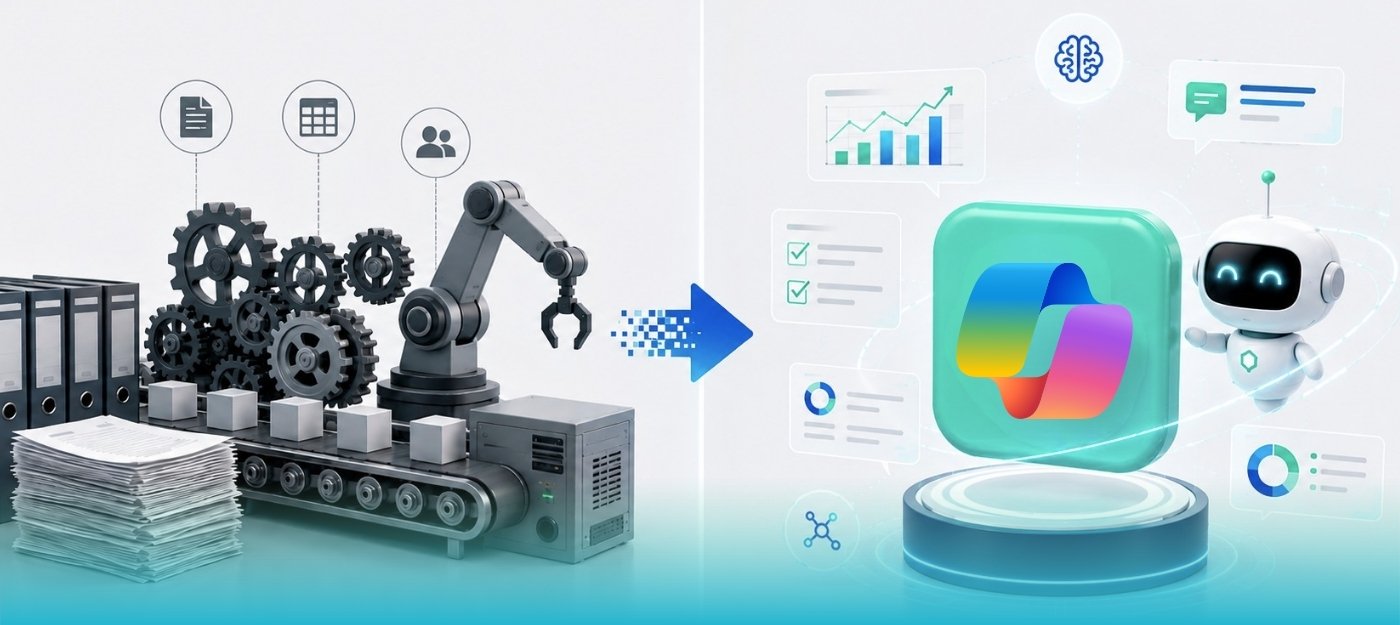
Business Central Copilot and traditional ERP automation solve different business challenges. Microsoft Copilot uses AI agents to understand context, adapt to changing scenarios, and assist with decision-making, while traditional ERP automation relies on predefined rules to automate repetitive, predictable tasks.
For most organizations, the best approach isn’t choosing one over the other-it’s combining both. AI agents excel at handling exceptions and decision-making, while traditional automation delivers speed and consistency for high-volume, rule-based processes.
This guide explains the key differences between Business Central Copilot and traditional ERP automation, including their capabilities, costs, ideal use cases, and how to choose the right automation strategy for your Business Central environment.
What Is Business Central Copilot?
Microsoft Copilot in Dynamics 365 Business Central is Microsoft’s built-in AI assistant that helps users analyze data, automate business processes, generate content, and complete ERP tasks using natural language. Unlike traditional ERP automation, Copilot understands business context, interprets information, and supports decision-making across finance, sales, purchasing, inventory, and operations.
Business Central Copilot combines two AI capabilities that work together to improve productivity and automate business processes:
Assistive Copilot
Assistive Copilot is designed to improve everyday productivity by allowing users to interact with Business Central using natural language. Instead of navigating multiple screens, users can ask questions such as:
- Show customers with overdue invoices over 30 days.
- Summarize this purchase order.
- Draft a customer email.
- Explain why inventory levels changed this month.
Copilot retrieves relevant business information, summarizes records, generates recommendations, and helps users complete tasks without leaving Business Central.
Autonomous AI Agents
While Assistive Copilot supports users, Autonomous AI Agents can execute multi-step business processes with minimal human intervention.
Examples include:
- Sales Order Agent for processing sales orders.
- Payables Agent for reviewing supplier invoices, matching purchase orders, identifying discrepancies, and automatically posting approved transactions.
Using organizational data, business rules, and AI reasoning, these agents complete routine work automatically while escalating exceptions that require human review. Together, Assistive Copilot and Autonomous AI Agents enable organizations to automate repetitive work, improve decision-making, and increase operational efficiency across Microsoft Dynamics 365 Business Central.
What’s New in Business Central Copilot (2026)
The 2026 Wave 1 release marks Business Central Copilot’s evolution from an AI productivity assistant to an AI-powered business operations platform. With new autonomous agents, enhanced governance controls, and expanded extensibility, organizations can automate more complex ERP processes while maintaining visibility and control.
| Feature | Business Benefit |
| Sales Order Agent | Automates sales order processing with minimal manual intervention. |
| Payables Agent | Reviews, matches, and processes supplier invoices more efficiently. |
| Model Context Protocol (MCP) | Simplifies integration with Copilot Studio and custom AI solutions. |
| Centralized Task Pane | Provides a single workspace to review and manage AI-generated tasks. |
| AI Activity Indicators | Improves traceability by identifying documents created or modified by AI. |
| Agent Kill Switch | Enables administrators to instantly pause all AI agent activity when required. |
| Feature Management | Allows organizations to test and validate new AI capabilities before production deployment. |
These enhancements strengthen governance, transparency, and operational control while helping organizations adopt AI responsibly and scale Business Central Copilot with confidence.
What Is Traditional ERP Automation?
Traditional ERP automation uses predefined rules to execute repetitive business processes against structured data. Instead of interpreting information or making decisions, it follows the same sequence of actions every time a process runs.
Common types of traditional ERP automation include:
- Robotic Process Automation (RPA) – Software bots, such as UiPath, Automation Anywhere, Blue Prism, and Power Automate Desktop, that replicate human actions like clicks and keystrokes to move data between systems.
- Workflow Automation – API-driven workflows with predefined logic, including Power Automate flows and Business Central approval workflows.
- Scripted Integrations – Custom code or connectors that transfer, synchronize, or transform data based on scheduled or event-driven triggers.
Traditional ERP automation is highly effective for structured, predictable processes. However, because it follows predefined rules, it cannot adapt to unexpected scenarios. For example, if a supplier changes an invoice format or a required field is missing, an RPA bot typically cannot interpret the change and requires manual intervention or workflow updates before processing can continue.
Business Central Copilot vs. Traditional ERP Automation: Core Differences
While both Business Central Copilot and traditional ERP automation improve operational efficiency, they are designed for different types of business processes. The table below highlights the key differences.
| Capability | Business Central Copilot (AI agents) | Traditional ERP Automation (RPA/workflows) |
| Decision-making | Understands business context and adapts when conditions change. | Executes predefined rules and follows the same sequence every time. |
| Handling Exceptions | Interprets unstructured data, identifies discrepancies, and escalates only when required. | Requires manual intervention when inputs deviate from predefined rules. |
| Implementation Time | Typically deployed within hours to weeks, depending on the process. | Often requires weeks or months for process mapping, scripting, testing, and deployment. |
| Best Suited For | Decision-intensive, variable, and unstructured processes such as invoice matching, order validation, and forecasting. | High-volume, repetitive, and predictable processes such as recurring journal postings, approvals, and data synchronization. |
| Maintenance | Lower maintenance as AI adapts to changing business scenarios without relying on UI interactions. | Higher maintenance because workflow or interface changes often require updates to bots and scripts. |
| Governance & Compliance | Built-in permissions, audit trails, AI activity indicators, approval workflows, and agent controls. | Governed primarily through workflow logic, system permissions, and bot configurations. |
| Cost Model | Included with Business Central licensing, with additional costs depending on AI agent consumption where applicable. | Requires separate licensing, bot infrastructure, implementation, and ongoing maintenance costs. |
The key difference is how each solution approaches automation. Business Central Copilot uses AI to understand context, adapt to changing conditions, and support decision-making, while traditional ERP automation follows predefined rules to execute repetitive tasks. For most organizations, combining both approaches delivers the greatest operational efficiency – using AI agents for exception handling and decision-making, while relying on rule-based automation for stable, high-volume processes.
Why traditional automation struggles with variation
Traditional ERP automation is designed to execute predefined rules rather than interpret changing situations. RPA bots interact with application interfaces by repeating the same clicks, keystrokes, and actions for every transaction. While this approach is highly effective for stable, repetitive processes, it becomes fragile when interfaces, document formats, or business rules change. Even small changes – such as a modified invoice layout or a relocated field – can interrupt the workflow, requiring manual intervention and ongoing maintenance.
Why AI Agents Handle Exceptions Better
AI agents take a fundamentally different approach to automation. Instead of simply following predefined instructions, they evaluate business context, interpret incoming information, and determine the most appropriate action. In Business Central, the Payables Agent can compare supplier invoices with purchase orders, identify discrepancies, automatically process matching invoices, and escalate only the exceptions that require human review. This ability to adapt to changing scenarios enables organizations to automate more complex, exception-driven processes with greater accuracy and less manual effort.
Cost Comparison: Business Central Copilot vs. Traditional RPA
While implementation costs vary based on business requirements, AI-powered automation is often more cost-effective than traditional RPA for processes involving frequent exceptions and changing business rules.
Key cost considerations include:
- Initial Implementation: Traditional RPA projects typically require significant investment in process mapping, bot development, infrastructure, and testing. AI agents can often be deployed faster because they rely on business context rather than extensive scripting.
- Ongoing Maintenance: RPA solutions require regular updates whenever application interfaces, workflows, or business rules change. In contrast, AI agents adapt more easily to changing conditions, reducing long-term maintenance efforts.
- Total Cost of Ownership (TCO): Organizations automating exception-driven processes with AI agents often experience lower maintenance costs and improved operational efficiency, resulting in a lower total cost of ownership over time.
However, traditional RPA remains a cost-effective solution for stable, high-volume, rule-based processes such as recurring journal postings, fixed-format data transfers, and scheduled integrations. For these predictable workflows, well-designed RPA bots can continue to deliver excellent long-term value with minimal operating costs.
When to Use Business Central Copilot Agents
Choose Business Central Copilot when your business processes require understanding context, handling exceptions, or making informed decisions rather than simply following predefined rules.
AI agents are best suited for processes involving:
- Unstructured or variable data – Processing supplier invoices in different formats, emails, free-text requests, or other non-standard inputs.
- Decision-making – Determining whether discrepancies should be approved automatically or escalated for human review.
- Exception handling – Managing edge cases and unexpected scenarios that fall outside predefined business rules.
- Natural language interactions – Allowing users to retrieve information, generate content, and complete tasks using conversational prompts instead of navigating multiple screens.
- Cross-document intelligence – Comparing, matching, summarizing, and analyzing information across invoices, purchase orders, sales orders, and other Business Central records.
Business Central Copilot delivers the greatest value where adaptability, business context, and operational efficiency are more important than rigid process execution.
When to Use Traditional ERP Automation
Traditional ERP automation remains the preferred choice for high-volume, structured, and repetitive processes where the same actions are performed consistently.
RPA, workflows, and scripted integrations are ideal for:
- High-volume, repetitive transactions – Processing standardized data with minimal variation.
- Rule-based workflows – Executing predefined business logic where outcomes remain consistent.
- Regulatory and compliance-driven processes – Performing tasks that require identical execution for every transaction.
- Legacy system integrations – Automating applications that lack modern APIs and rely on UI-based interactions.
- Stable approval workflows – Managing fixed approval chains and business processes that change infrequently.
Traditional ERP automation provides speed, consistency, and reliability for predictable business operations, making it an essential component of a modern Business Central automation strategy.
The 2026 Reality: The Best Approach Is a Hybrid Automation Strategy
As enterprise automation continues to evolve, one thing is becoming increasingly clear: the future isn’t AI versus traditional automation-it’s AI and traditional automation working together.
The most effective Business Central environments combine AI agents for decision-making and exception handling with traditional ERP automation for repetitive, rule-based execution. Rather than replacing existing workflows, AI enhances them by handling complex scenarios while allowing RPA bots and workflows to continue managing predictable, high-volume tasks.
Within Dynamics 365 Business Central, this hybrid approach is already built into the platform:
- Power Automate manages structured, rule-based workflows and system integrations.
- Business Central Copilot and AI agents, such as the Sales Order Agent and Payables Agent, handle business reasoning, exception management, and contextual decision-making.
- Model Context Protocol (MCP) extends these capabilities by simplifying integration with Microsoft Copilot Studio and custom AI solutions.
For most organizations, the question isn’t whether to choose Business Central Copilot or traditional ERP automation. Instead, it’s identifying which processes require AI-driven decision-making and which continue to benefit from rule-based automation.
How to Decide: A Simple Framework
Use the following framework to determine the most appropriate automation approach for each business process.
- Evaluate Process Volume and Complexity
If a process is high-volume and predictable, traditional ERP automation is typically the best fit. If it involves frequent exceptions, changing inputs, or business judgment, Business Central Copilot can deliver greater value.
- Identify Decision-Making Requirements
Processes that require employees to interpret information, make approval decisions, or resolve exceptions are strong candidates for AI agents rather than rule-based workflows.
- Review Existing Automation Performance
If your current RPA bots require frequent maintenance due to interface changes, document variations, or broken workflows, consider replacing or enhancing those processes with AI-powered automation.
- Consider Governance and Compliance
For regulated or audit-sensitive operations, evaluate whether you need capabilities such as AI activity tracking, approval workflows, audit trails, and centralized management provided by Business Central Copilot.
- Start Small and Scale Gradually
Begin with a pilot project using Feature Management and a sandbox environment. Validate performance, measure business outcomes, and expand AI adoption as confidence and operational maturity increase.
Best Practice: Don’t replace every existing automation with AI. Modern Business Central environments achieve the best results by combining AI agents for intelligent decision-making with traditional ERP automation for repetitive, high-volume processes. This hybrid strategy delivers greater efficiency, lower maintenance costs, and a higher long-term return on investment.
Frequently Asked Questions
Key Takeaways
- Business Central Copilot uses AI agents to understand business context, adapt to changing scenarios, and automate decision-driven processes.
- Traditional ERP automation remains the most efficient solution for repetitive, structured, and rule-based business operations.
- 2026 Wave 1 introduces powerful governance capabilities, including AI activity indicators, centralized task management, and enhanced administrative controls for enterprise AI adoption.
- The most successful organizations combine Business Central Copilot, Power Automate, and traditional RPA to create a scalable hybrid automation strategy.
- Start by identifying business processes with frequent exceptions, high maintenance costs, or manual decision-making-these are often the best candidates for AI-powered automation.
Ready to Modernize Your Business Central Automation?
Whether you’re exploring Business Central Copilot, modernizing legacy ERP automation, or building a hybrid AI strategy, choosing the right approach starts with understanding your business processes.
Our Microsoft-certified Business Central consultants help organizations identify automation opportunities, evaluate where AI agents deliver the greatest value, and design scalable automation strategies that improve efficiency without disrupting existing operations.
Whether you’re implementing Business Central, optimizing existing workflows, or integrating Microsoft Copilot into your ERP environment, we’ll help you build an automation roadmap aligned with your business goals.