

Home / Microsoft ERP Services / Migration & Upgrade
Your ERP may still work but that doesn’t mean it’s ready for what’s next.
Legacy platforms, outdated versions, complex customizations and disconnected systems can make it harder to scale, integrate, report and adopt new technology.
Sarakadiya helps organizations migrate, upgrade and modernize Microsoft ERP environments, with specialized expertise in Dynamics 365 Business Central.
Whether you’re moving from Dynamics NAV or Dynamics GP to Business Central, upgrading an existing Business Central environment or moving from on-premises ERP to the cloud, we help you plan the transition, protect critical business data and move forward with confidence.
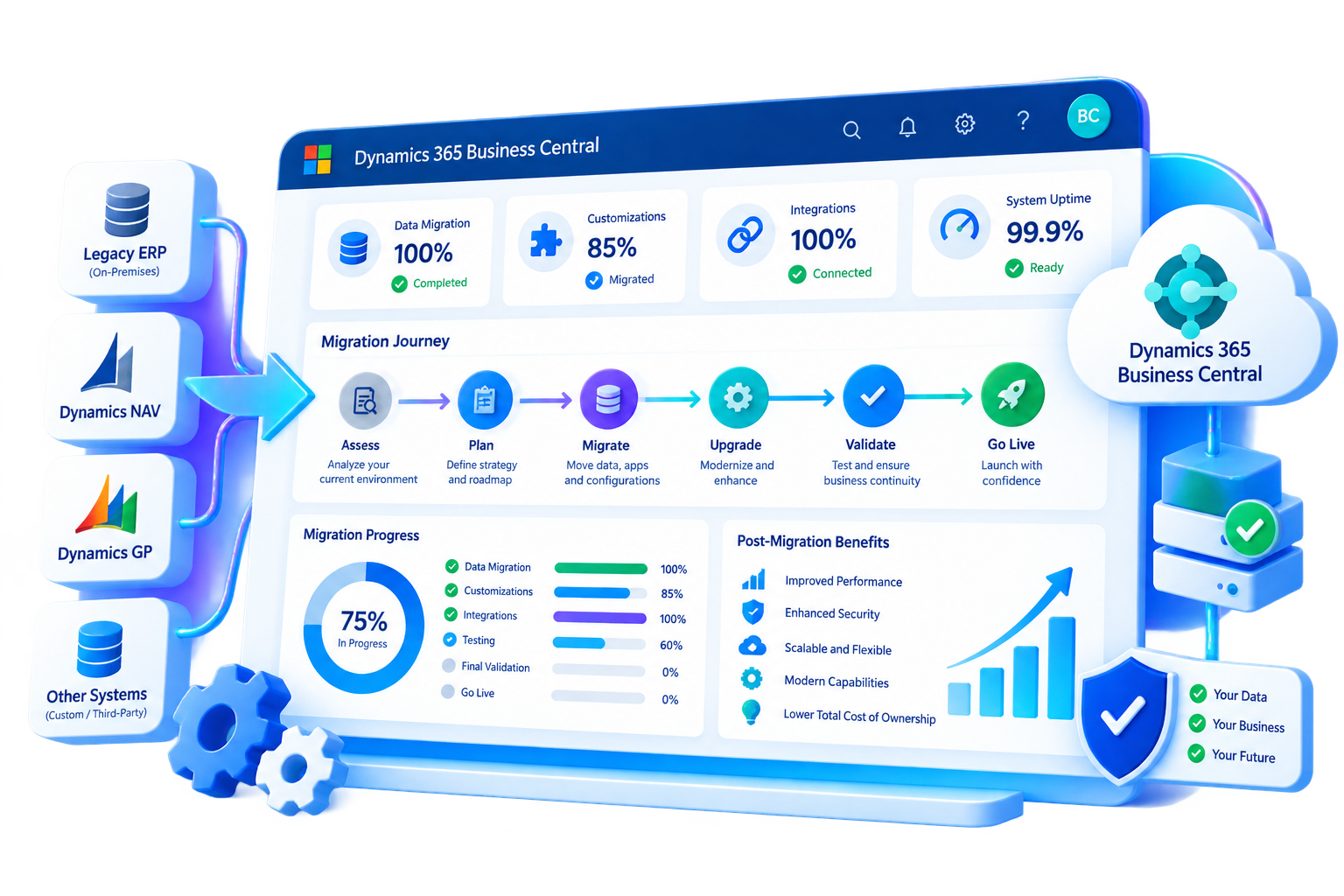
Not every legacy ERP environment should follow the same path.
The right approach depends on your current ERP version, customizations, data, integrations, business processes and future goals.

Modernize your NAV environment and transition to Dynamics 365 Business Central through a structured migration and upgrade path.

Evaluate your GP environment and plan the transition of relevant financial and operational data to Business Central.

Assess your current environment, extensions, customizations and integrations and plan the appropriate upgrade path.

Modernize your ERP environment and transition toward Business Central Online where the supported migration path fits your environment.

If carrying forward legacy customizations creates unnecessary complexity, a reimplementation approach may be more appropriate than a direct migration.
Microsoft’s current documentation recognizes both full migration and reimplementation scenarios for supported NAV-to-Business-Central journeys, with the appropriate path depending on the source environment and customization strategy.
ERP modernization is often driven by more than technology.
Your current version no longer provides the capabilities, flexibility or scalability your business needs.
Years of custom development have made upgrades, maintenance and future changes increasingly difficult.
Your ERP doesn't integrate easily with CRM, eCommerce, banking, reporting or other business applications.
Teams rely on spreadsheets, duplicate data entry and workarounds to get everyday work done.
Finance and business leaders struggle to access timely, reliable information.
Maintaining an aging environment consumes resources that could be used for business improvement.
Your organization wants to take advantage of a modern cloud ERP environment and the broader Microsoft ecosystem.
Your existing ERP wasn't designed to support your next stage of growth, new entities or changing processes.
Sarakadiya manages the critical components of an ERP migration or upgrade so your business can move forward with greater confidence.

Know What You’re Taking Forward
Before migration begins, we assess your current environment to understand what can be migrated, what needs to change and where risks may exist.

Define the Right Path Forward
Every environment has different requirements.
We help define whether your organization should pursue a direct migration, staged upgrade, cloud migration, reimplementation or a combination of approaches.
Move the Data Your Business Depends On
Data is one of the most critical parts of an ERP transition.
We help assess, prepare, map, migrate and validate the data required for your new environment.
Don’t Carry Legacy Complexity into Your New ERP
Legacy customizations can be one of the biggest challenges in an ERP modernization project.
For NAV-to-Business-Central Online migrations, Microsoft requires relevant C/AL customizations to be converted to AL extensions for supported migration paths.
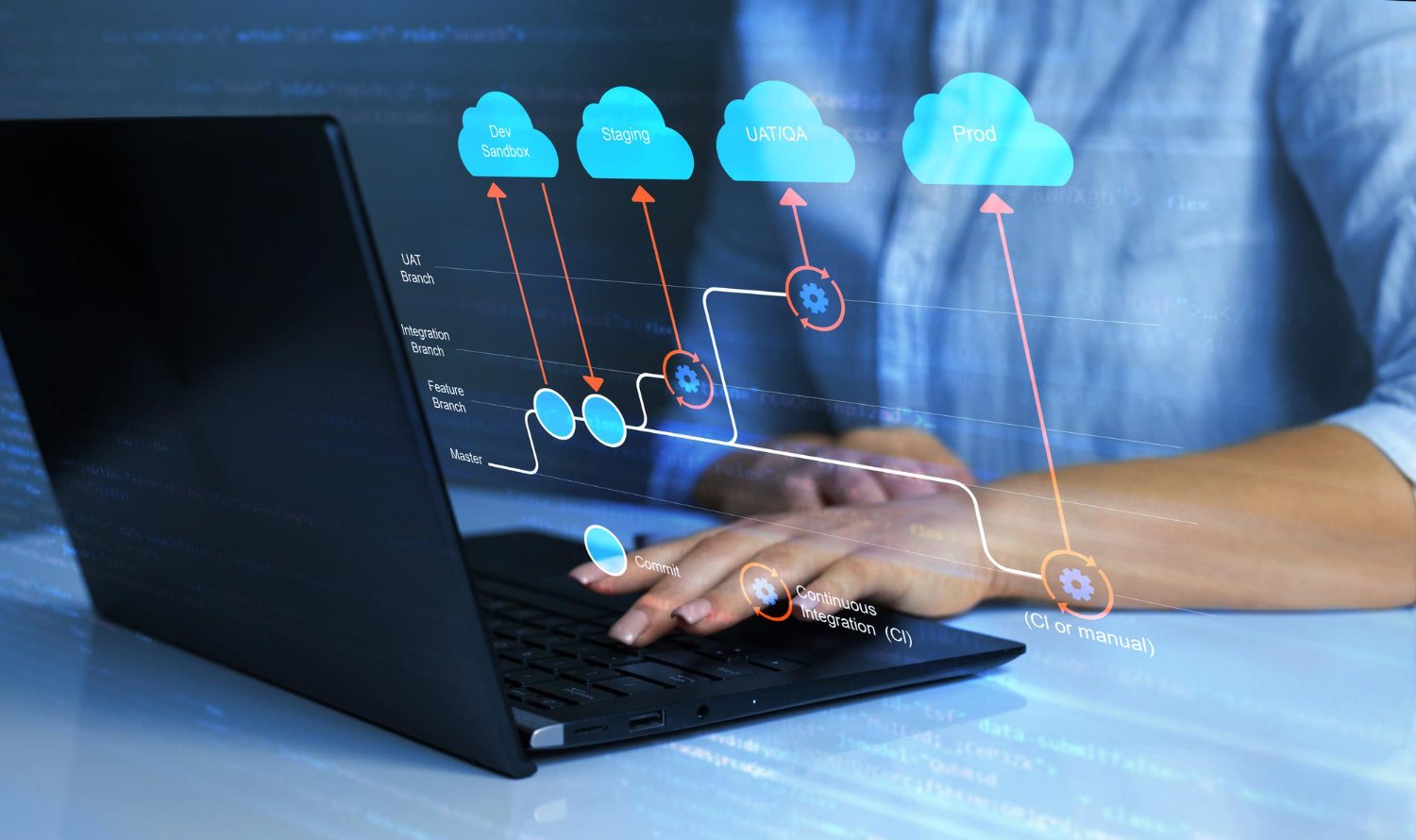
Keep Your Business Connected
An ERP migration shouldn’t break the systems your business relies on.

Keep Business Central Ready for What’s Next
For organizations already using Business Central, we help assess and prepare environments for supported upgrades.
Business Central’s current release architecture is extension-based, and Microsoft’s 2026 upgrade guidance highlights the need to assess customizations, upgrade paths and extensions when moving between versions.

Move From On-Premises ERP to Business Central Online
For organizations ready to modernize their ERP environment, we help plan and execute supported cloud migration scenarios.
Microsoft’s current migration guidance describes preparation, upgrade where required, cloud migration setup, data replication, data upgrade/completion and post-migration activities as key stages in supported migration journeys.
Know Your New Environment Works Before You Switch
Migration isn’t complete when the data moves.
We validate the new environment to ensure business processes, data, integrations and critical functionality work as expected.
Microsoft recommends performing dry runs for NAV cloud migration scenarios before production cutover to identify issues, validate results and understand migration timing.

Make the Transition with Confidence
A well-planned cutover reduces disruption and gives your team a clear path into the new environment.

Don’t Stop at Go-Live
Once your new environment is live, your team may need support as users adapt, integrations stabilize and processes evolve.
Microsoft’s NAV-to-Business-Central migration guidance also includes post-migration activities such as enabling users, reconnecting integrations, monitoring the environment and optimizing performance.
Understand your current ERP, version, data, customizations, integrations and business requirements.
Define the migration or upgrade strategy, scope, dependencies, risks and target environment.
Clean data, review customizations, prepare integrations and establish the technical prerequisites.
Move data, modernize custom functionality, configure the target environment and connect required systems.
Run migration rehearsals, validate data, test business processes and confirm integrations.
Execute the production migration or upgrade with a controlled cutover plan.
Support users, resolve issues and continuously improve the modernized environment.

Moving from Dynamics NAV to Business Central is more than a version upgrade.
Your migration may involve:
If your organization is running Dynamics GP and looking for a modern cloud ERP environment, Business Central can provide a path forward for supported migration scenarios.
Sarakadiya helps assess your GP environment and plan the transition across:
Microsoft provides migration tooling and guidance for supported Dynamics GP versions, including readiness assessment and data migration to Business Central Online.


An upgrade is an opportunity to do more than move to a newer version.
It can also be an opportunity to:
Sarakadiya helps you assess your current environment, plan the upgrade, validate the solution and support the transition.
For Business Central Online, Microsoft manages platform upgrades, while organizations still need to consider extensions, customizations, integrations and application readiness.

Move away from aging platforms and toward a current Microsoft ERP environment.
Use modernization as an opportunity to simplify inefficient processes.

Reduce unnecessary customizations and technical complexity.

Connect ERP with the applications and data your business depends on.

Give leaders access to more timely and connected business information.

Build an ERP environment that can support future growth.
Address unsupported versions, outdated customizations and fragile integrations.

Create an environment better positioned to take advantage of Microsoft's evolving cloud, automation, analytics and AI capabilities.
Modernize financial systems while protecting critical data, reporting and business continuity.
Reduce technical debt, simplify ERP architecture and create a more sustainable technology environment.
Modernize processes and systems without losing the operational knowledge embedded in your existing ERP.
Bring in specialized expertise to manage complex migrations, upgrades, integrations and modernization initiatives.
Move away from legacy technology with a clear path toward a scalable Microsoft ERP environment.
We consider processes, customizations, integrations, users and business continuity—not just the database.
Specialized knowledge across Microsoft ERP technologies with a strong focus on Dynamics 365 Business Central.
We understand the challenges involved in modernizing environments with years of data, customizations and integrations.
Identify migration dependencies, technical risks and business-impact areas before they affect your go-live.
From assessment and planning through migration, testing, cutover and post-migration support.
Once your environment is modernized, we can continue helping you optimize, support and evolve it.
Migration is not just a technology project. Your industry processes, data and operational requirements matter.


Manage projects, budgets, procurement, subcontractors, and financial reporting from a single platform. Business Central helps construction and real estate businesses improve project profitability, control costs, and enhance operational visibility.
Simplify financial management, procurement, inventory control, and operational reporting while maintaining compliance across complex business operations. Business Central provides the visibility needed to improve efficiency and support informed decision-making.






Explore how organizations worldwide transformed operations, streamlined finance and accelerated growth with Sarakadiya’s Microsoft expertise.
Seamlessly Upgrading an MSP from Business Central 15 On-Premises to Business Central 25 Cloud
ERP migration is the process of moving data, processes, configurations and relevant business functionality from an existing ERP environment to another ERP platform or environment. It can involve data migration, customization modernization, integrations, testing, user readiness and cutover.
An ERP migration generally involves moving from one ERP platform or environment to another, while an upgrade typically involves moving an existing ERP solution to a newer supported version. In practice, some modernization projects combine migration and upgrade activities.
Yes. Supported Dynamics NAV on-premises environments can be migrated to Business Central Online through defined Microsoft-supported paths. Depending on the source version and approach, intermediate upgrades and customization conversion may be required.
Yes. Microsoft provides supported migration tools and guidance for eligible Dynamics GP environments moving to Business Central Online. The migration approach depends on the source environment, data and business requirements.
Yes. Supported Business Central on-premises environments can be migrated to Business Central Online, subject to version, database, customization and technical prerequisites.
Customizations need to be assessed individually. Some may be replaced by standard Business Central functionality, while others may need to be rebuilt as extensions or redesigned to work with the target environment.
Potentially, depending on the source ERP, target environment, migration path, data requirements and technical constraints. A migration assessment should determine which historical and operational data should be migrated, archived or retained separately.
Risk can be reduced through readiness assessment, data cleansing, customization review, integration assessment, migration rehearsals, testing, validation, cutover planning and post-migration support.
The right approach depends on your current ERP, data, customizations, business processes and future goals. A migration assessment can help determine whether preserving the existing environment or starting with a cleaner implementation is more appropriate.
The timeline depends on the source ERP, target environment, data volume, customizations, integrations, number of entities, testing requirements and business readiness. A realistic timeline should be established after assessing the current environment and migration scope.
Migration costs depend on the complexity of the source environment, data migration, customizations, integrations, testing, user training and cutover requirements. Sarakadiya can assess your environment and provide a more relevant estimate.
Move Forward Without Carrying Legacy Complexity with You
Whether you’re moving from Dynamics NAV or GP, upgrading Business Central, transitioning from on-premises ERP to the cloud or evaluating a fresh start, Sarakadiya can help you plan and execute your next step.