




AI Is Changing More Than How We Use ERP
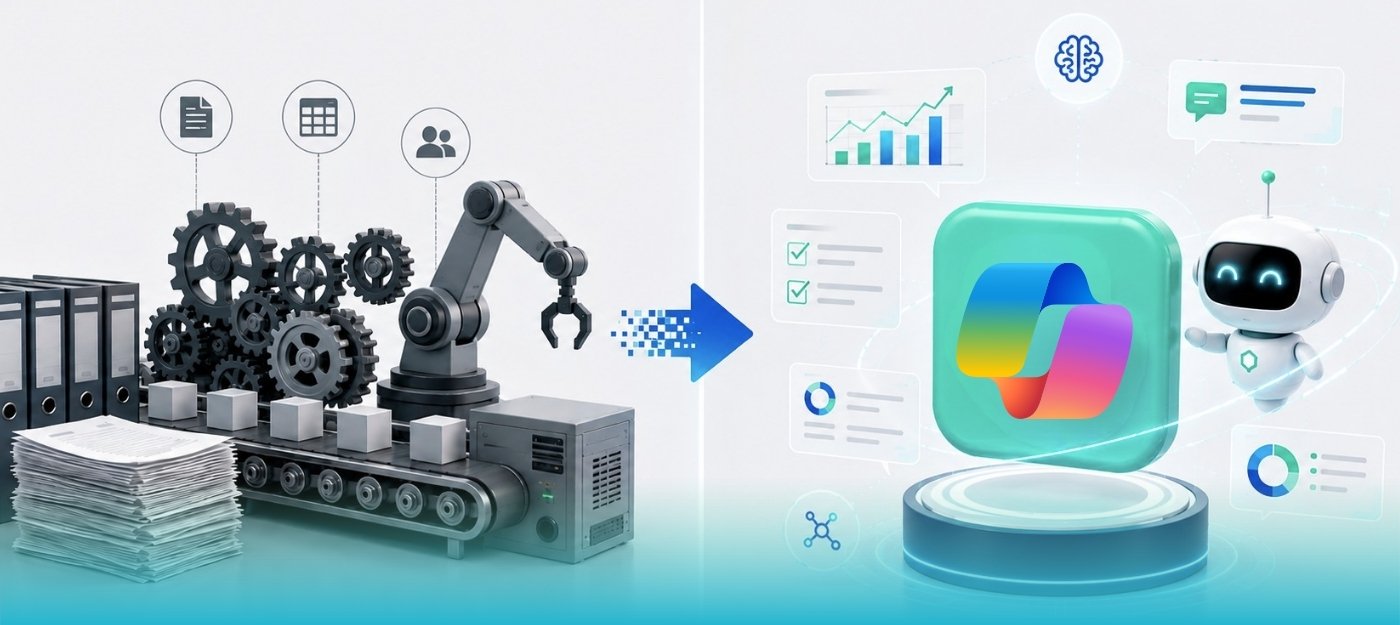
For years, ERP automation has been about making predefined processes run faster.
A workflow moves an approval from one person to another. A scheduled process creates a record. An integration moves data from one system to another. Rules determine what happens when a particular condition is met.
These capabilities have transformed the way businesses operate, but they all have something in common: they work within rules that have already been defined.
Artificial intelligence is beginning to change that model.
With AI Agents, the conversation is moving from software that simply follows predefined instructions to software that can interpret information, work through a business process, make decisions within a defined scope, and involve a person when something falls outside that scope.
Microsoft Dynamics 365 Business Central is becoming an important part of this shift.
The question for businesses is no longer simply whether ERP systems can automate tasks.
It is becoming:
What if parts of an ERP process could be handled by an intelligent digital worker rather than requiring a person to initiate and manage every step?
That does not mean people disappear from the process.
In fact, human oversight remains an important part of how these capabilities are designed.
The opportunity is to move people away from repetitive work and toward the decisions, exceptions and activities where their experience actually adds value.
For businesses, that makes AI Agents less about replacing ERP users and more about changing how work gets done.
Key Takeaways
- AI Agents extend ERP automation beyond predefined, rule-based workflows.
- In Business Central, agents can work within defined processes, permissions and responsibilities.
- Sales order processing, accounts payable, expenses and operational monitoring are examples of areas where AI Agents can create opportunities for automation.
- AI Agents are most useful when a process involves repetitive work, meaningful transaction volume and clearly understood outcomes.
- Good data, well-defined processes, security and governance are essential before introducing greater autonomy.
- Traditional workflows are not becoming obsolete. In many cases, traditional automation and AI Agents will work together.
- Businesses should start with a specific, measurable process rather than trying to introduce AI across the entire ERP environment.
From Copilot to Agentic ERP
Business Central’s AI journey has evolved considerably.
Copilot introduced AI assistance directly into the user’s workflow. Instead of searching for information or creating content manually, users could ask for help, review suggestions and decide what to do next.
AI Agents take the concept further.
Rather than waiting for a user to ask for assistance, an agent can operate around a defined business process. It can monitor a particular source of information, interpret what it receives, work with Business Central data and carry out multiple steps before reaching a point where human involvement is required.
Consider a simple example.
A customer sends an email asking for a number of products.
Traditionally, someone in the sales team would read the email, identify the customer, determine which items are being requested, check availability, prepare a quote and then continue the order process.
An AI Agent can take on much of that initial work.
The agent can interpret the request, work with the information available in Business Central, prepare the relevant documents and bring the process to a defined approval or communication point.
The difference is subtle but significant.
Traditional automation tells the system:
What to do when a specific condition occurs.
An AI Agent can interpret a less structured situation and determine:
What needs to happen next within the boundaries it has been given.
That is what makes agentic ERP interesting.
It is not simply another automation tool. It introduces a layer of reasoning into processes that previously depended almost entirely on fixed rules.
How Does an AI Agent Work in Business Central?
An AI Agent in Business Central can perform a defined business process using assigned permissions, relevant business data and specific responsibilities, while involving a person when an approval or exception requires human judgment.
The idea of an autonomous digital worker can sound more open-ended than it really is.
An AI Agent does not have unlimited access to an organization’s ERP environment. It operates with its own identity, permissions and defined responsibilities.
That distinction is important, particularly when the agent is working with financial or operational data.
An agent can be configured with a specific permission set that determines what it can access and what actions it can perform. It can also operate within a defined profile and business process rather than having unrestricted access to the entire application.
Many agent scenarios are also focused on specific channels or processes.
For example, an agent may monitor a mailbox for incoming sales requests or vendor invoices rather than continuously watching every activity within Business Central.
When information arrives, the agent interprets it and uses relevant Business Central data to understand the context.
A vendor invoice, for example, may need to be matched with an existing vendor and purchase order before a purchase invoice can be prepared.
A sales request may need to be connected to an existing customer and checked against available items.
The agent can perform these steps within its assigned scope.
But there is an equally important part of the process:
Knowing when not to continue.
If the information is unclear, a vendor is not recognized, a business rule cannot be confidently applied, or an action requires approval, the agent can stop and bring a human into the process.
This is where agentic ERP becomes particularly relevant for businesses.
The objective is not to create an AI system that acts without control.
It is to create a system that can handle predictable work and know when a person needs to take over.
Where Can AI Agents Make a Difference?
Some of the most practical opportunities are appearing in areas where businesses process large volumes of repetitive information.
- Sales Order Processing
A sales team may spend considerable time reading customer emails, interpreting product requests, checking availability and entering information into Business Central.
When the same pattern happens hundreds or thousands of times, even a few minutes saved per transaction can become significant.
An agent can take on much of this initial processing, allowing sales teams to focus more on customer relationships and exceptions rather than data entry.
- Accounts Payable
Accounts payable presents another strong opportunity.
Invoices often arrive in different formats and need to be interpreted, matched against vendors and purchase orders, coded appropriately and routed through the appropriate approval process.
An AI-powered process can handle much of the repetitive work involved in preparing those transactions while leaving finance professionals responsible for exceptions and final decisions.
- Expenses and Operational Processes
The same principle can extend to expenses, inventory and other operational processes.
An agent could help monitor information, identify situations that require attention and support repetitive steps within a defined process.
The important point is not that AI Agents should be applied everywhere.
They are most valuable where there is:
- A meaningful volume of repetitive work
- A reasonably well-understood process
- Clearly defined responsibilities
- A measurable business outcome
- A safe way to involve people when exceptions occur
That is why the starting point should not be:
“Where can we use AI?”
A better question is:
“Where are our people spending time on repetitive work that an AI Agent could safely handle?”
Built-In Agents or Custom Agents?
Not every organization will have the same requirements.
Microsoft is expanding Business Central with agent capabilities for common business scenarios, giving organizations opportunities to automate processes without designing every agent from scratch.
For many businesses, that is the logical place to start.
A standard process with a clear business outcome is generally easier to evaluate, configure and measure than a highly customized AI solution.
But businesses also have processes that are unique to their industry or operating model.
This is where custom agents become interesting.
A company may want an agent to monitor overdue orders, prepare information for a month-end review, identify particular exceptions or support an internal process that is not covered by a standard Business Central scenario.
Custom agent capabilities can give organizations the opportunity to explore these use cases.
However, customization should not automatically be the goal.
The question should always be whether the business problem justifies the additional complexity.
A well-designed standard capability that solves most of a problem may be more valuable than a highly customized agent that is difficult to maintain, govern and improve.
AI Agents vs. Traditional ERP Automation
It is easy to think of AI Agents as simply a more advanced version of workflow automation.
They are related, but the difference is important.
Traditional automation works particularly well when the input is structured and the rules are predictable.
For example, when a record is created, a workflow can automatically send it for approval. When a particular field changes, a predefined action can occur.
The system does not need to understand the meaning behind the information. It simply follows the rule.
AI Agents are designed to work with situations that can be less predictable.
An email may contain a customer request in natural language. An invoice may contain information that needs to be interpreted before it can be matched to existing records.
Instead of requiring every possible variation to be explicitly coded, an agent can use AI to interpret the information and determine the next appropriate step within its defined scope.
| Traditional Automation | AI Agents | |
| Input | Usually structured | Structured and unstructured |
| Logic | Predefined rules | AI-assisted interpretation within defined boundaries |
| Process | Follows predetermined steps | Can determine the next step within its assigned scope |
| Exceptions | Usually handled through predefined rules | Can identify and escalate situations requiring human judgment |
| Best suited for | Predictable, repeatable processes | Processes involving interpretation and contextual decisions |
| Human involvement | Depends on the workflow | Can be built into approval and exception points |
This does not make traditional automation obsolete.
Quite the opposite.
The future of ERP automation is likely to involve both.
Traditional workflows remain highly effective for predictable processes, while AI Agents can add intelligence where interpretation and contextual decision-making are required.
The Real Challenge Is Not the AI. It Is the Environment Around It.
This is where organizations need to look beyond the technology.
An AI Agent may be intelligent, but it still operates within a business environment.
If the underlying data is inconsistent, processes are poorly defined or Business Central has accumulated years of unnecessary customization, the agent does not magically make those issues disappear.
In fact, automation can make existing problems more visible.
Imagine an organization with duplicate vendors, incomplete item information and inconsistent customer records.
A person working with that data may recognize the problem from experience and correct it manually.
An automated process may encounter the same problem repeatedly and generate exceptions.
The same applies to processes.
If a finance process depends on several undocumented decisions that only one employee knows how to make, it may not be ready to hand over to an agent.
Before introducing AI, organizations therefore need to understand the process they are trying to automate.
What triggers it?
What information does it require?
What decisions are routine?
Which situations are exceptions?
Where does human judgment matter?
What should happen when something goes wrong?
These questions are more important than simply asking whether the latest Business Central release supports AI Agents.
Security and Governance Cannot Be an Afterthought
Giving software more autonomy also means giving it responsibility.
That makes governance an important part of any AI Agent implementation.
An agent needs to operate within appropriate permissions. It should only have access to the data and actions necessary for its role.
Segregation of duties also remains important, particularly for finance-related processes.
An agent that prepares a transaction should not automatically have the authority to approve or post that same transaction simply because the technology makes it possible.
There also needs to be clarity around human intervention.
Which decisions can the agent make?
Which decisions require approval?
Who receives an exception?
What happens when the agent encounters something it cannot confidently resolve?
These are not questions that should be answered after implementation.
They are part of designing the process itself.
The ability to trace what an agent has done is equally important.
Businesses need visibility into agent activity so that they can understand what happened, investigate exceptions and maintain appropriate audit controls.
In other words:
Autonomy needs boundaries.
The more capable AI becomes, the more important those boundaries become.
What AI Agents Cannot Fix
There is a tendency with new technology to focus on what it can do.
It is equally important to understand what it cannot do.
An AI Agent cannot compensate for poor master data.
It cannot turn an undefined business process into a well-designed one.
It cannot automatically resolve every exception.
And giving an agent more autonomy does not necessarily make a process better.
There are also practical considerations around document formats, permissions, configuration and the capabilities available for a particular Business Central release.
These details matter because an AI Agent operates within a technical environment.
If a process depends on an extension, integration or configuration that has not been properly considered, the agent may not be able to perform as expected.
This is why a successful AI implementation starts with understanding the existing Business Central environment rather than starting with the AI feature itself.
What About the Business Impact?
The business case for AI Agents is ultimately about more than AI.
It is about time, productivity and the way employees spend their working day.
Consider accounts payable again.
If finance employees spend a large part of their day entering invoice information, matching documents and resolving routine processing steps, automating some of that work can free them to focus on exceptions, controls, supplier relationships and financial analysis.
In sales, reducing the time between receiving a customer request and preparing the initial response can help teams respond faster without simply adding more administrative workload.
In operations, better monitoring of inventory or orders can help employees focus on decisions rather than continuously checking systems for issues.
These improvements may sound incremental when viewed individually.
Across a high-volume business process, however, they can become significant.
The important consideration for a Business Central customer is not whether other organizations are adopting AI.
It is whether there is a measurable business problem that AI can help solve.
Is Your Business Central Environment Ready for AI Agents?
AI readiness is not simply a question of whether the organization has access to an AI capability.
A business should consider several factors before introducing greater autonomy into its ERP processes.
- Data: Is the underlying customer, vendor, item and transaction data accurate and consistent?
- Processes: Are the processes clearly defined, or do they depend heavily on undocumented decisions?
- Configuration: Is the Business Central environment configured in a way that supports the intended process?
- Extensions and Integrations: Are the extensions and integrations involved in the process understood and properly maintained?
- Security: Does the proposed agent have only the permissions it actually needs?
- Governance: Are approval points, exception handling and accountability clearly defined?
- Measurement: Can the business measure whether the AI-enabled process is actually improving outcomes?
AI works best when the environment around it is ready.
So, Where Should a Business Central Customer Start?
The best starting point is usually not an enterprise-wide AI initiative.
Start with one process.
Look for an area where employees spend significant time doing repetitive work and where the outcome can be measured.
Accounts payable and sales order processing are natural examples because they often involve high transaction volumes and clearly defined activities.
Once the process has been identified, understand how it works today.
Look at the data involved, the decisions employees make, the exceptions they encounter and the systems that participate in the process.
Then determine whether the process is actually ready for AI.
Sometimes the answer will be an AI Agent.
Sometimes a traditional Business Central workflow will be the better solution.
Sometimes the real priority will be cleaning up data, improving an integration or addressing a performance issue before any automation is introduced.
That is an important distinction.
AI should be part of the solution – not the solution to every problem.
Once the right approach has been identified, the process can be tested in a controlled environment before being introduced into production.
The results should then be measured.
Is the process faster?
Has manual effort decreased?
Are exceptions manageable?
Has accuracy improved?
Are employees spending more time on higher-value work?
Those answers provide the basis for deciding whether to expand the approach to other processes.
The Sarakadiya Perspective
At Sarakadiya, we see AI Agents as an important development in the evolution of Business Central.
But we also believe that the conversation needs to go beyond the AI itself.
Businesses do not need more technology simply for the sake of having more technology.
They need technology that solves real operational problems.
That means understanding the business process first, looking at the quality of the underlying data, evaluating the existing Business Central environment and then deciding where AI can genuinely make a difference.
In some cases, the answer may be an AI Agent.
In others, it may be better configuration, workflow automation, an integration improvement or performance optimization.
The value comes from choosing the right solution for the problem.
This is particularly important as Business Central becomes more intelligent.
The organizations that benefit most from agentic ERP will not necessarily be the ones that deploy the most agents.
They will be the ones that understand where autonomy creates value, where human judgment remains essential, and how the two can work together.
That is the conversation businesses should be having now.
What Comes Next?
The direction of Business Central is clear.
AI is moving deeper into the ERP experience, and agents are becoming capable of handling more business processes.
As these capabilities mature, we can expect AI to become increasingly involved in areas such as sales, purchasing, inventory, customer management and financial operations.
The important shift is that AI will increasingly become part of the way work happens inside the ERP rather than simply being an additional tool that employees open when they need assistance.
That creates an opportunity for organizations to rethink their processes.
Instead of asking how many manual steps a process contains, they can begin asking which of those steps genuinely require human involvement.
Some will.
Some will not.
The future of ERP is unlikely to be completely autonomous.
It is more likely to be:
Human-led, AI-assisted and increasingly AI-executed where the process allows it.
Frequently Asked Questions
What is an AI Agent in Business Central?
An AI Agent is a software-based capability that can perform a defined business process within Business Central. It can interpret information, work with Business Central data and carry out tasks within its assigned permissions and boundaries.
How is an AI Agent different from Copilot?
Copilot generally assists a user while they are working. An AI Agent can operate around a defined process and perform multiple steps with less direct user intervention, bringing a person into the process when an approval or exception requires human judgment.
What can AI Agents do in Business Central?
AI Agent scenarios can support areas such as sales order processing, accounts payable, expense management and other repetitive business processes. Microsoft’s agent capabilities continue to evolve across additional business processes and custom scenarios.
Can AI Agents replace ERP teams?
The more realistic opportunity is to change what ERP teams spend their time doing.
Instead of spending hours on repetitive data entry and routine processing, employees can focus more on exceptions, analysis, controls, customer relationships and business decisions.
Is every Business Central environment ready for AI Agents?
Not necessarily.
The readiness of an environment depends on the quality of its data, how clearly its processes are defined, its configuration, extensions, integrations, security and overall governance.
A business should understand those factors before deciding where AI should be introduced.
Should businesses use AI Agents or traditional automation?
It depends on the process.
Traditional automation remains highly effective for predictable, rule-based activities.
AI Agents become more valuable when a process involves unstructured information, interpretation or contextual decisions.
In many environments, the best solution will be a combination of both.
Can businesses create custom AI Agents?
Business Central is expanding its capabilities for designing custom AI Agents, allowing organizations to explore processes that go beyond standard agent scenarios.
Whether customization is appropriate depends on the business problem, technical environment, governance requirements and expected value.
What is the first step toward adopting AI Agents?
Start with the business problem rather than the technology.
Identify a repetitive, high-volume process where automation could create measurable value.
Then understand the process, assess the Business Central environment and determine whether an AI Agent is actually the right solution.
How can a business prepare Business Central for AI Agents?
Start by reviewing data quality, business processes, configuration, extensions, integrations, permissions, security and governance.
AI readiness is not only about having access to AI technology. It is about having an environment in which AI can operate safely and effectively.
Final Thought
AI Agents are changing the role an ERP system can play in day-to-day business operations.
Business Central is moving beyond simply recording transactions and enforcing predefined workflows. It is becoming capable of participating more actively in the processes that run a business.
But intelligent automation does not begin with turning on an AI feature.
It begins with understanding the business.
The right process.
The right data.
The right controls.
The right level of autonomy.
When those pieces come together, AI Agents can do more than reduce manual work.
They can help businesses rethink how work moves through their ERP – allowing people to spend less time managing routine processes and more time making the decisions that move the business forward.
The future of Business Central is not people versus AI.
It is people and AI, each doing what they do best.
Thinking About AI Agents in Business Central?
Before introducing AI, it is worth assessing whether your processes, data and Business Central environment are ready.
Sarakadiya can help you evaluate your Business Central environment, identify the right opportunities for automation and determine where AI, workflow, integration or optimization can create measurable business value.
Talk to the Sarakadiya Business Central team.